
Create an iJewel viewer embed
An embed lets you place an interactive iJewel3D viewer on a website without building a JavaScript integration. Configure the viewer in iJewel Platform or iJewel Design, then copy either the complete <iframe> code or only its embed URL.
Choosing an integration
Use an iframe embed when you want the quickest setup and the viewer can run as a self-contained element. Use the Mini Viewer SDK when your website must control the viewer directly or connect it closely to other page interactions.
Before you begin
You need:
- An account on iJewel Platform or iJewel Design
- A model that visitors are allowed to view, such as a public or unlisted model
- Permission to add an iframe or URL to the destination website
Step 1: Open the model in the editor
From iJewel Platform
Select the model, open its actions menu, then choose Open In → Playground. Depending on your Platform layout, you may also be able to right-click the model to open the same menu.
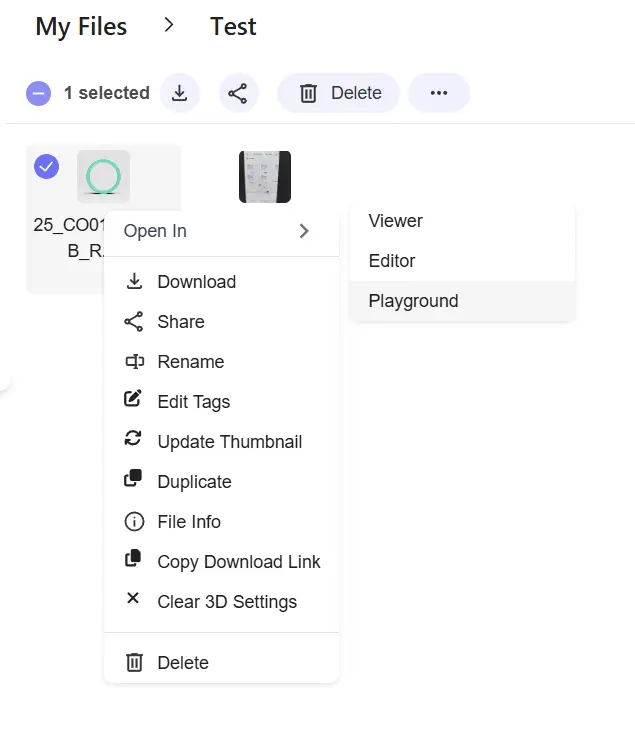
Open the selected Platform model in Playground.
From iJewel Design
Open your profile, find the design, and select the pencil icon on its card.
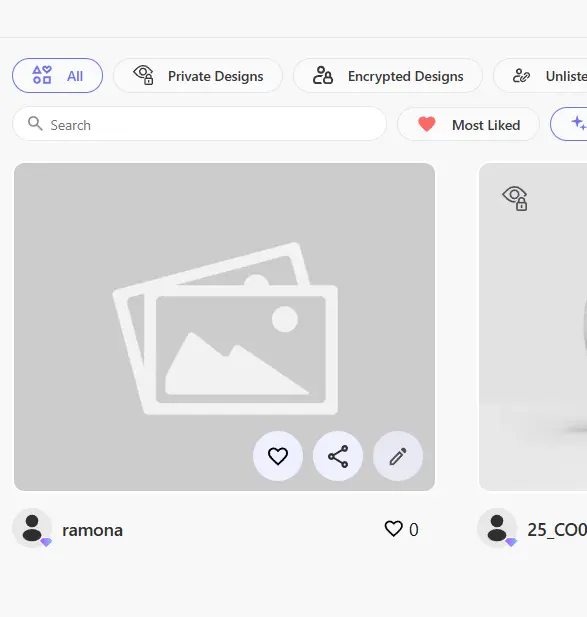
The pencil icon opens the design in the editor.
Step 2: Configure the embed
In the editor, select the Embed (</>) tool. Choose the size and the viewer controls you want to make available. Preview the result before copying it.
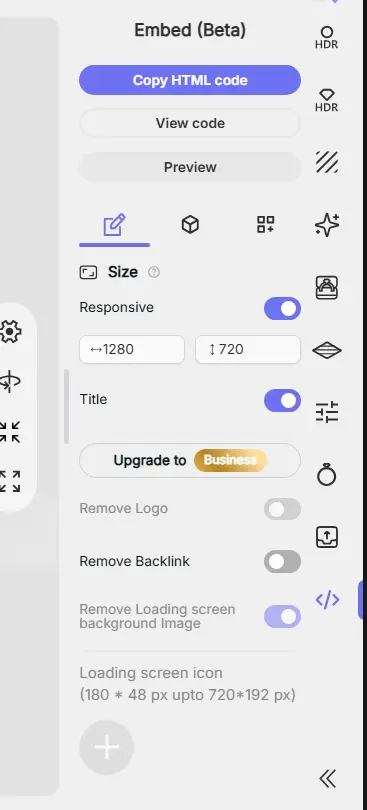
The Embed panel generates the viewer code from your selected settings.
Branding controls depend on your iJewel plan and integration method. See Whitelabeling and Branding for the exact options and plan availability.
Step 3: Copy the right value
Choose the output required by the destination website:
| Destination accepts | What to copy |
|---|---|
| HTML or an embed block | Select Copy HTML code and paste the complete <iframe> element |
| A URL field, such as a Shopify URL metafield | Select View code and copy only the URL inside the iframe's src="..." attribute |
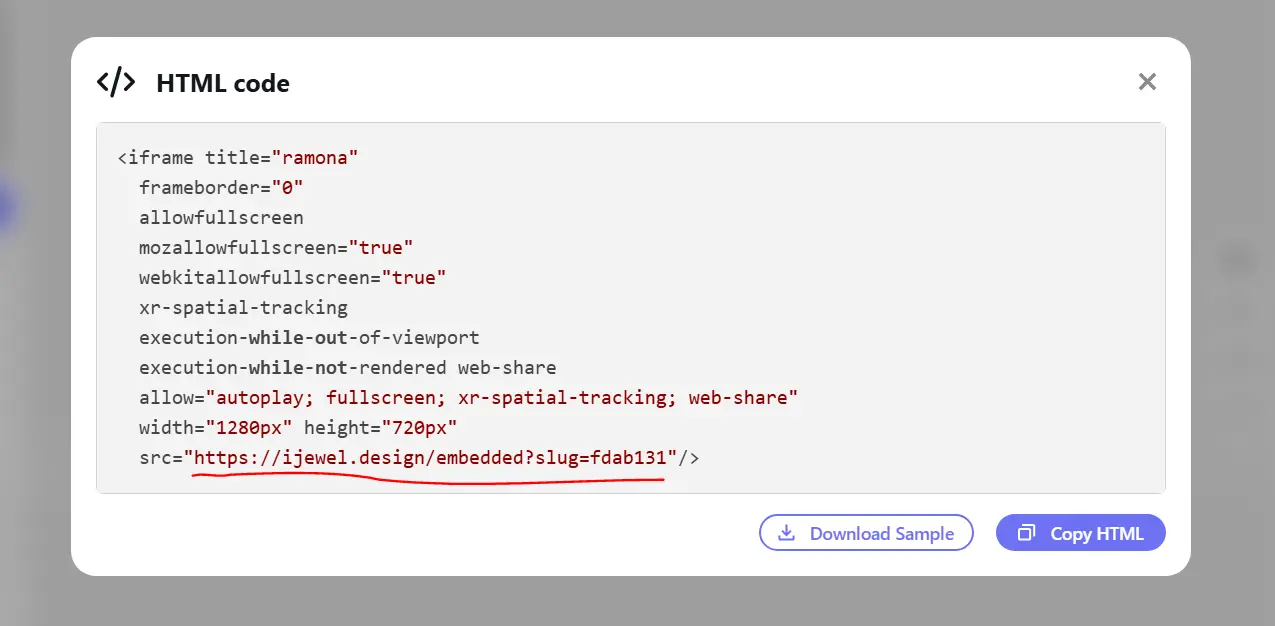
For a URL-only field, copy the complete value between the quotation marks after src=.
Do not copy the editor URL from the browser address bar. The embed URL comes from the generated iframe and opens the viewer without the editor interface.
Set initial material selections
You can add material selections to the embed URL. See Apply materials through the URL.
Embed by tag or name
Use tag-based embeds when product identifiers already match tags in iJewel3D. Your website can build each viewer URL from one pattern.
See Embed by tag or name for the URL format and file requirements.
Use the embed
- For Shopify, continue to Add an Embedded Viewer to Shopify.
- For another website or CMS, paste the complete iframe into an HTML/embed block.
- For a custom application, see Embed iJewel3D Drive Models on Your Website.
Troubleshooting
- If the viewer asks visitors to sign in, confirm that the model is public or unlisted.
- If the website rejects the code, check whether it accepts HTML or only a URL.
- If the viewer is cropped, use a responsive container and give it an explicit height or aspect ratio.
- If your configuration changes, generate the embed again and replace the existing code or URL.
Contact
For embedding or licensing assistance, email contact@ijewel3d.com.