
Export Videos
iJewel Playground allows you to record and export videos of your jewelry models — perfect for product showcases, social media, and e-commerce listings. You can create turntable animations, camera path recordings, and 360° spins.
Turntable Video (Left Menu)
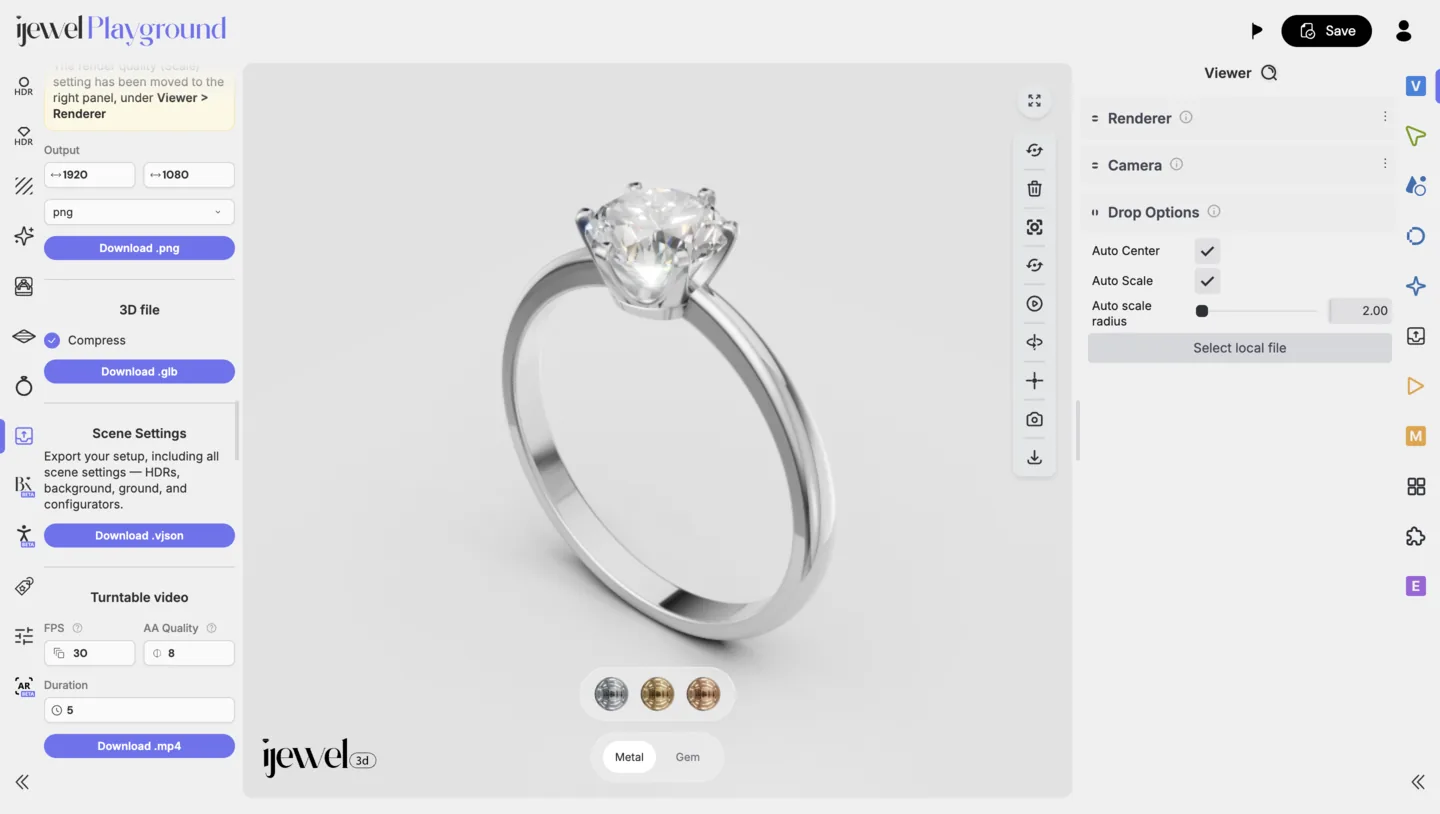
The left-side Presets Panel provides a quick way to export turntable videos.
Steps
- Set the resolution (width and height) for your video output.
- Configure the FPS (frames per second) — higher FPS results in smoother playback.
- Set the duration of the video.
- Click Download.
The rendering process will begin, indicated by a red border on the canvas.
WARNING
Keep the browser tab open until the rendering process is complete. Closing or switching away from the tab may interrupt the export.
Advanced Recording (Right Panel)
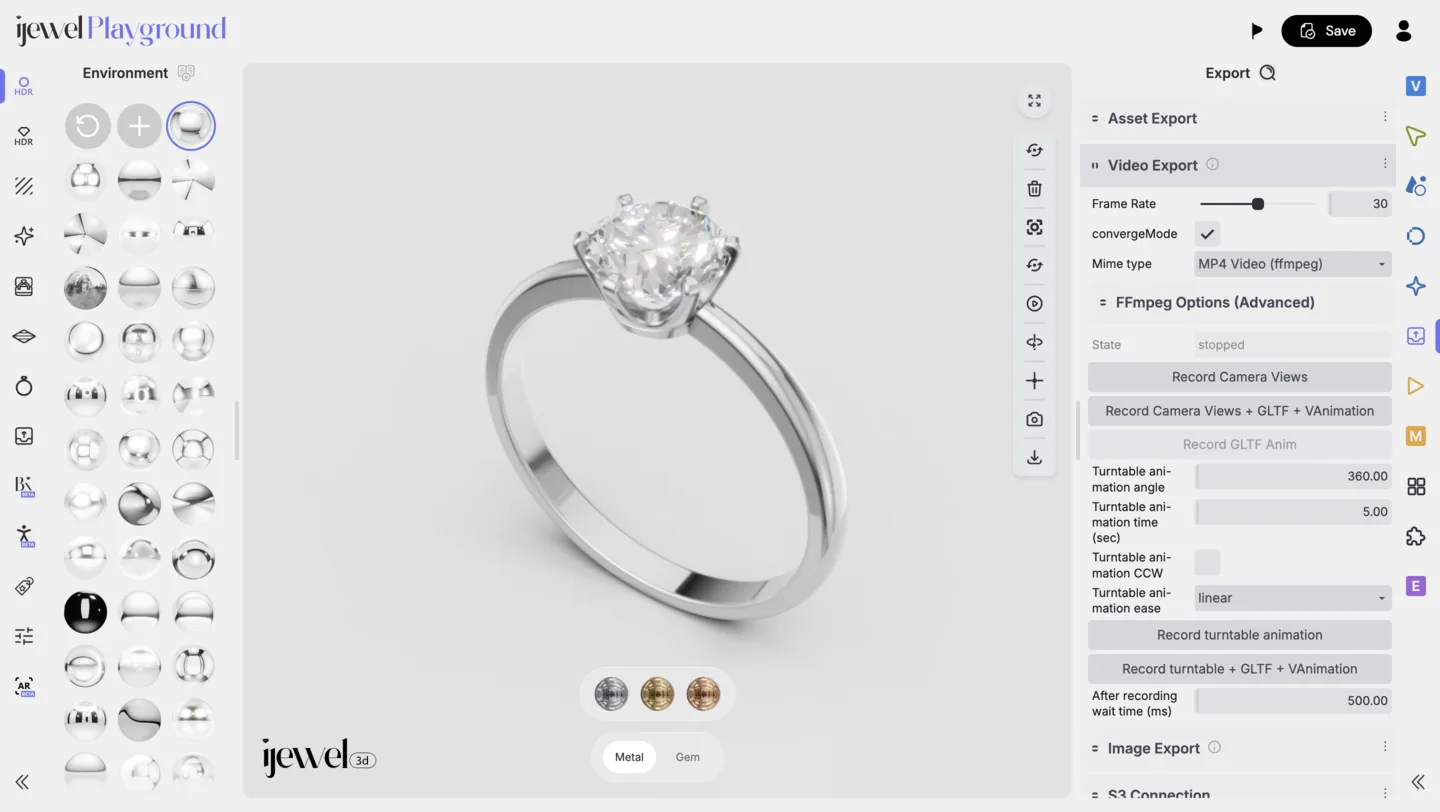
The Export section in the right-side Editor UI Panel offers multiple recording modes for different types of video output.
Recording Modes
| Mode | Description |
|---|---|
| Standard Recording | Records whatever is happening on the canvas in real time — ideal for custom interactions and walkthroughs. |
| Camera Views | Records a sequence based on your saved camera view positions. |
| 360° Animation | Automatically rotates the model clockwise for a full 360° turntable video. |
| 360° Animation (CCW) | Same as above, but rotates counterclockwise. |
Steps
- Open the Export tab in the Editor UI Panel.
- Select your desired recording mode.
- Customize your settings:
- Resolution — Output width and height in pixels.
- FPS — Frames per second (24 or 30 recommended for smooth playback).
- Duration — Length of the video in seconds.
- Click Record.
- Wait for the recording to finish — a red indicator will appear on the canvas during the process.
TIP
For e-commerce and social media, a 360° animation at 5–10 seconds duration with 30 FPS is a great starting point. It gives customers a complete view of the product in a short, engaging clip.
Recommended Settings by Use Case
| Use Case | Mode | FPS | Duration |
|---|---|---|---|
| Product listing | 360° Animation | 30 | 5–8 sec |
| Social media reel | 360° Animation | 30 | 5–15 sec |
| Client presentation | Camera Views | 24–30 | 10–20 sec |
| Custom walkthrough | Standard Recording | 30 | As needed |