
Materials
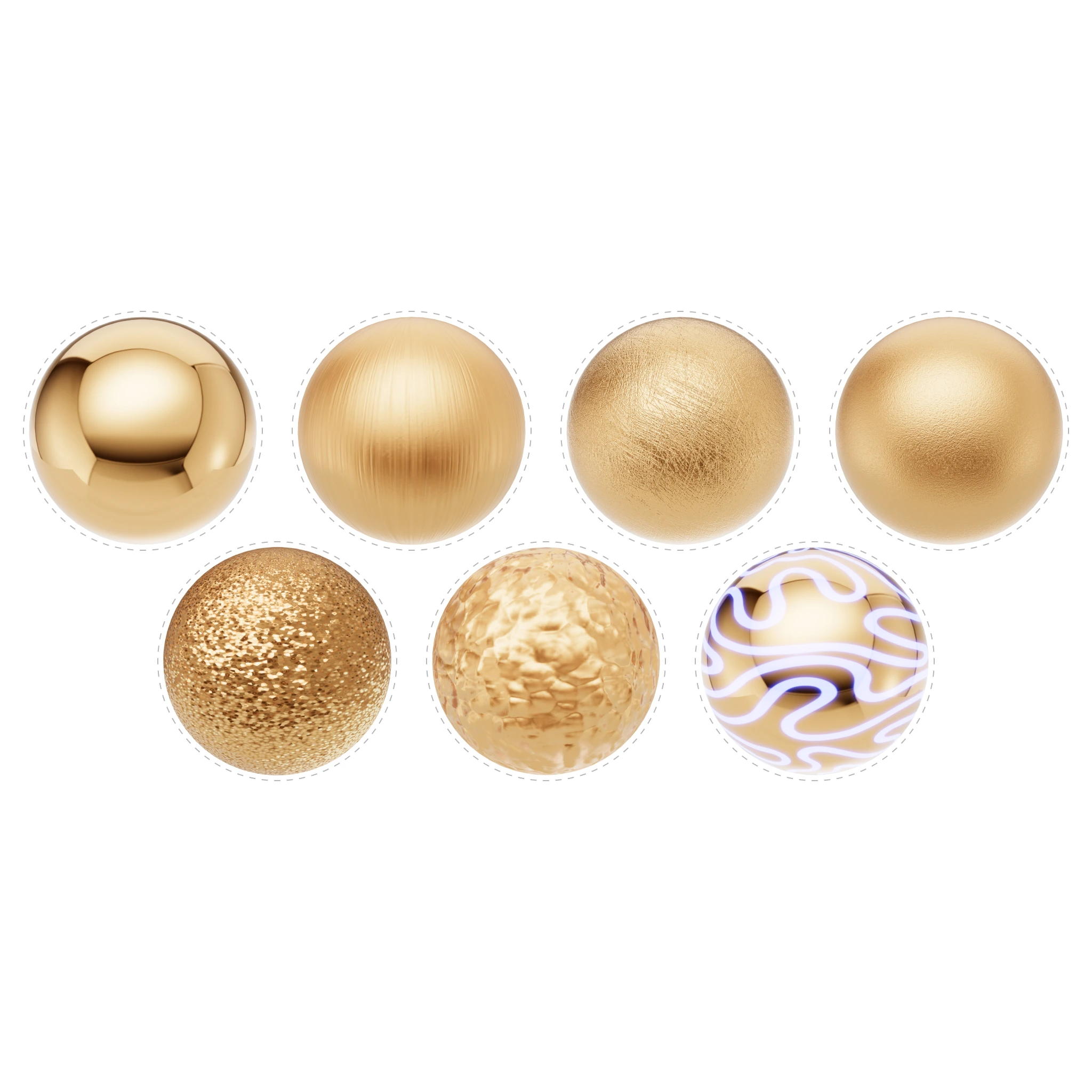
Materials define how every surface in your scene looks — the color, reflectivity, roughness, and transparency of metals, gemstones, ceramics, pearls, and more. iJewel Playground uses two specialized material types: Physical Material (PBR) for opaque surfaces like metals and ceramics, and Diamond Material for gemstones with ray-traced refraction and sparkle.
You can start from scratch by adjusting every parameter manually, or use one of the 300+ ready-made presets from the built-in library to get professional results instantly.
Where to Find It
Materials can be accessed in two ways:
Left panel — Material Presets — Click on any object in the canvas, then browse the preset library tabs (
 Metals,
  Gems,
Gems, '/%3e%3cdefs%3e%3cpattern%20id='pattern0_2192_1301'%20patternContentUnits='objectBoundingBox'%20width='1'%20height='1'%3e%3cuse%20xlink:href='%23image0_2192_1301'%20transform='scale(0.0208333)'/%3e%3c/pattern%3e%3cimage%20id='image0_2192_1301'%20width='48'%20height='48'%20preserveAspectRatio='none'%20xlink:href='data:image/png;base64,iVBORw0KGgoAAAANSUhEUgAAADAAAAAwCAYAAABXAvmHAAAAAXNSR0IArs4c6QAACaRJREFUaEO9Wl1oG9kVvnc0iuwk2AZnSQot2NBCk8ihhixbu7tgJSlxUhYS+tiFzcvilt2yG0rBJVviZQ1LYWFdKDTQQvLQh0If0jzZJg0ipHkINXhfwxLiIEdxZOtfin5Gmqm/QZ84vhnJcrKtQB7N373nO+f7zjl3xlp9i59UKnWkVqv9yPO8I1rrI0qpyL59+1S9Xq/VarUNfD3P+zoajW58W9Pq1xkolUodtCzrx6FQ6GdKqfeUUofkeFprZVmWcl1XOY6jms2m/3UcZ6PRaCzV6/Vb/f39S6Ojo9VXteOVADx+/HhoYGDgE8uyPlZKDWFyGCu/MJz7OO95nv+t1Wo+IH6q1era5ubmrWq1ujAxMbG2VyB7AhBkOCeEsSYQ7IdCoR1AYHx/f78PolAo+KAQnVKpVKpUKjeq1epnJ0+e3OoVSM8AcrncGc/z/qKUGsGk0mAajm1fX197blxH70uDEB3btkknHwC+lUoFQNZc1/1dNBr9ey8gegKQz+fnlVJXYBDDbwIgZUzqdDKCIBqNhk8rbAGiWq2qcrmMeeaj0ejvdwPRFQBEeuDAgRuu6/4cE0CA+NBI6Xkck/ugjilo0xiOg3EBgkLHb4DwPO9v+/fv/6CbyLsCKBaLS5FI5CwG5gTSMNNoU8gEK4EFeRT3IbKYg5mKIAqFwr8rlcq7sVgsF3hvpxCVy+Ubtm2/XywW25dgEkxGbkvRysgwfe4WAWqJqRbXM0thLoDJZrMQ+9Lk5OS5ngHk8/m5cDh8FRMglPJD46kBnpP7+M3ssxuHzbFhNIwnAEY/mUz+IRaLzZrjvUShcrl8QSl1E5yHoEzRcgDSJwiAPGZetxsgGo8tnEVxI0OlUqmfxmKxf+2IrNxZWVk5FI1G/9NsNkdKpZIPgJznlp6mYZ0ishvvg4BzLBrPGgEQ+BYKhbVEIjF+8eLFth52RMCpO1823eZvYDgQI5ymgSa/zXQqDZP1olOkpJ54Dau2CeDFixcqnU7Pnz59up1e2wC2q+BIJBJZLZVKQzC+Xq/vEKspSGYcMxMFATb1EaQpHDMLHykER7JeVCqVXCKRGGUU2gByudx8OBy+ApQAEJRxSAvQKRwOtzMSr5VGmFqRKZbX0dPS8+YYFDNpBMc+ffp07uzZs5/59uBPPB633/nJO9+UXpR87uMiOYmkSSQSUWiRuUWawySMhGzUMIbshYKaO0mhoNZDZiQmls3NTWjge7FYrOQDcKrOtA7pxUw243ufoZMZiNyH5wcGBvwIIMVCL0GClWIHONlqSJH2AoAtDADAwWBJNps9c+7cuTs+gHw+/2fbtn+JotXqQ9q5WPY2MApNGBo2HEeOxqDyE1Sdcc+rAsDYMgowHgxJJpML58+fv+wDKBQK3zQaje/DeFzA7INJSQF6ik0YBzZFa7bPHAPH5VgsWEERkDSkQ2SBy+VyKpPJbJ06deoNjYZteHi4mMlk/P4clJAlHr07iwkGw0CyJpjrgKB6QdA4x7aBXpUAaLjpFHkPHIx2A9p78ODBd3Q6nZ4Oh8OL2+2Dzy8ihWEQ6+HDh9XW1pZ/E6iA8MmGjtogz0090PO4l7/NaksKmgBk1mNNIMUB5OHDh+/qra2tS7ZtX5cA4HEYBO8fPHjQBwbDYQTOcdGC3xiYng1qG0wAuIaiJJBOaRTOQbLgPa2Vm+9kAEkkEpf0xsbGx7ZtL4A+OMi+HzfBUHpdhnpwcNCfs9Wz/08BsDFkBNghwN5UKjWrk8nkrG3bX+CApBAAINcDtXy6AEDDw8M+AIhprxFgO84CtVsaZbHD9Yw4IgDGpFKpOf3kyZPZZrP5BYyHsQyrTJ/kIgYDKHzxYbtBkQZRSAqY2iGFzD4oqJWAsUwerB9cwW0LeU6vr6/PNBqNa/CmfOTRqd9nBQYAeASDSoHuKAqt5SfPk8uyhZDzBFViHpNpF8damWhWP3v27JLjONfT6XS7B+pWWSEqfAmAHJXFSoKQIjadIq+TK70gWhEAnMDGbru99kV8xnGc25ubm74GZA4mvyUgDMBGDpSTBpJ2ZmUOilBQhBmZTrWBPReo23oEM63xsMrzvCxEgdxKobCYBS0P6W14he2FrLSvA4BNJCs9900xtx4CvOG3Eo8ePXqWyWSOIAKysspoyDUuhUkAbBcAzPSsWYUJzhS8pJBZ0Eyx43y5XF4bHx8f9QGsrq5+tb6+/gkLEvt9k6Oyz8FvUkwK2TRMgpPngoBKr8tImJoAS7LZ7LXJyclf+QBu37495ThOnGlKAqFXMYjsKPmbjwg7UcjUCJ3SKcvtlpXQqwHAxsbGhenp6Vs+gKmpqb7Lly8nHMc5JDnPakxvU8wsbOiVZONHD8saQr1wa0bIpEcncdO5ELBlWWvPnz//QSwWa7SXlHfu3Lm6rYG51gXt1pd0Mo3DvglANnZcfZkAuqXSoPRNKhEAMl+xWJyfmJjwF/ZtADdv3hwaHBx8nM/nh9jMkUrMNOw4uUU6ZWqTlOoWAbNVNillApSrt1bmwWP4Mb5L2PFYZXl5+dNms/k5nxYzg5Am5DMmxW/md0k7do+dIiCXqdLjMvvJ5MHFlWgjvhwbG/ttG7i8GFEYGhpadRxnBIUCQEATk/vYp/E4TwCyJyKdZBR5LIgq3QDQeNd11+7fv//mzMxM+wXIS48WFxcXp2zbjrNhkgPTANk+MLXSUHP9awLoVgeCgMnC2mw2L5w4ceLWjvQud/h7cXHx6rYhc2x5yXPSQlZfHusVQCcNMEmYGiCFtrdzY2Nj/rOgXQHgguXl5WuRSGQGVDK5KkW9VwCmBkwRm2m21cT9NRqNfhDk7I4vOPCwS2v9D631Ba6GZPhpOCsttyZlQCn5CYpmkGFMn57nLR0/fjzw3cCONNppkLt37/5JKfUhDA7ynqzaXLDINGp6FPPI893qguu6NzzP+3U0Gi11sq+nl3zxePzTcDj8+Q7uideqso2QLUeQcawhUk9BxnmeN3/s2LHXe8knB753796U1vo6XrNKTchaAOO4BKSBZqtgUowgxXVrWutLR48evdvJ6z2JOOhm6MKyrCtKqY9CoZD/bwUAwELHldpLmaL1LwesE6Zwse+6Lh7YLtTr9T+Oj48HvtDbk4i7oY/H49+1bfs9rfWM1noEhnGhzgU/75d1QhYyEcWc1nqhWq3uyfC2E3oJU7drVlZW3lZK/QJNrW3bP+S7ZAlA8r6VCPBfK3gT/890Ov1g++Xd//efPToBisfjfYODg2+FQiH8O0KfZVn+P4LgEZJlWVXP8540Go2v90KR3Rz8X6w+WjatS3QzAAAAAElFTkSuQmCC'/%3e%3c/defs%3e%3c/svg%3e) Ceramics,
Ceramics,  Pearls,
  Other) to apply a preset with one click
Right panel — Picking — Select an object in the canvas while in
 Picking mode to open its full material editor (Physical Material or Diamond Material)
Sections
Related Pages
- Export Materials — Save and share material presets
- Import Materials — Load saved material presets
- FAQ: Materials & Diamonds — Common questions about materials
- Post Processing — Visual effects applied to the final render