
Progressive Shadow
Progressive Shadow adds a soft, realistic shadow beneath your model using a directional light. Once enabled, you get full control over the shadow's color, direction, softness, and intensity — making your jewelry renders look more grounded and professional.
Where to Find It
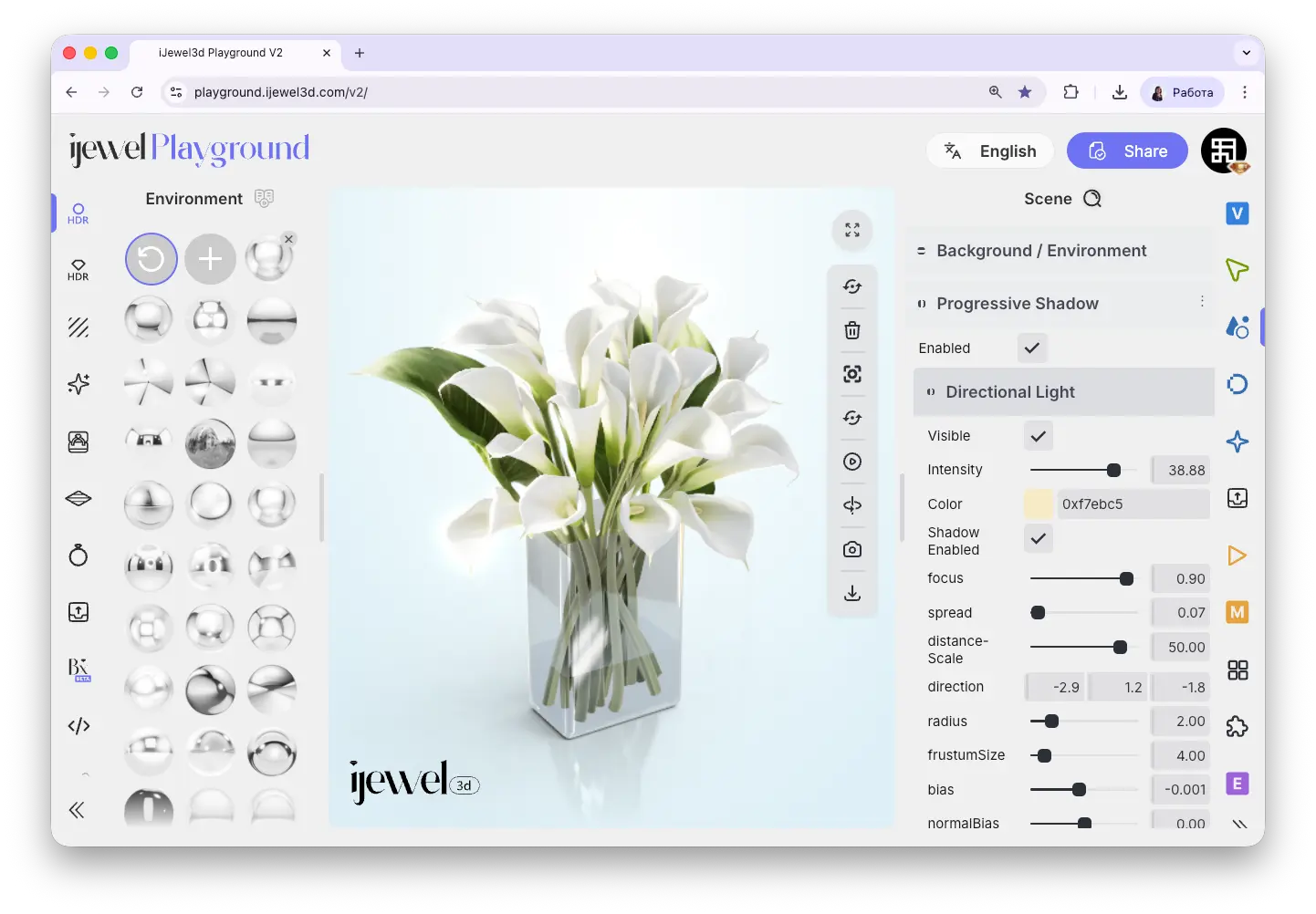
This section is located on the right panel, inside the  Scene tab, in the Progressive Shadow section.
Enabling Progressive Shadow
Check the Enable checkbox to activate the Progressive Shadow. A directional light will be created in the scene, and a shadow will appear beneath your model. Uncheck to disable.
Directional Light Settings
Once enabled, you can configure the directional light that casts the shadow:
Visibility & Intensity
Visible
Checkbox — show or hide the directional light helper in the viewport
Intensity
Slider — controls the strength of the directional light
Color
Color picker — choose the color of the shadow. Use darker colors for subtle shadows or try colored shadows for creative effects
Focus & Spread
Focus
Slider — controls how tight the shadow area is. Higher focus produces a more concentrated shadow beneath the model
Spread
Slider — controls the softness of the shadow edges. Higher spread produces a softer, more diffused shadow
Distance Scale
Slider — adjusts the distance of the light from the model
Direction & Advanced
Direction
Three inputs (X, Y, Z) — set the direction the light comes from. This changes where the shadow falls relative to the model
Radius
Slider — the radius of the shadow map area
First Stone Size
Slider — size of the first shadow cascade step
Bias
Slider — shadow bias to reduce shadow acne artifacts
Normal Bias
Slider — normal-based bias for further artifact reduction
Video Tutorial
How to Create Custom Shadows
Related Pages
- Scene Settings — Overview of all Scene tab sections
- Ground — Ground plane, shadows, material, and blending
- Scene Basics — Overview of working with 3D objects
- Background / Environment — Background color, HDRI maps, and environment settings
- UI Overview — Full interface layout including panels
- Export Scene Settings — Export your scene settings including shadow configuration