
Export Scene Settings
iJewel Playground allows you to export your scene settings as standalone files. This is useful for backing up your scene look, transferring configurations between projects, or sharing presets with colleagues.
Export Formats
| Format | Description |
|---|---|
.vjson | Complete scene configuration — all settings: HDR maps, background, ground, post-processing, tonemapping, material configurators, and more |
.json | Individual setting — only a specific plugin or parameter (e.g., ground, tonemapping, camera) |
Exporting All Scene Settings (.vjson)
There are two ways to export a complete .vjson file with all your scene settings.
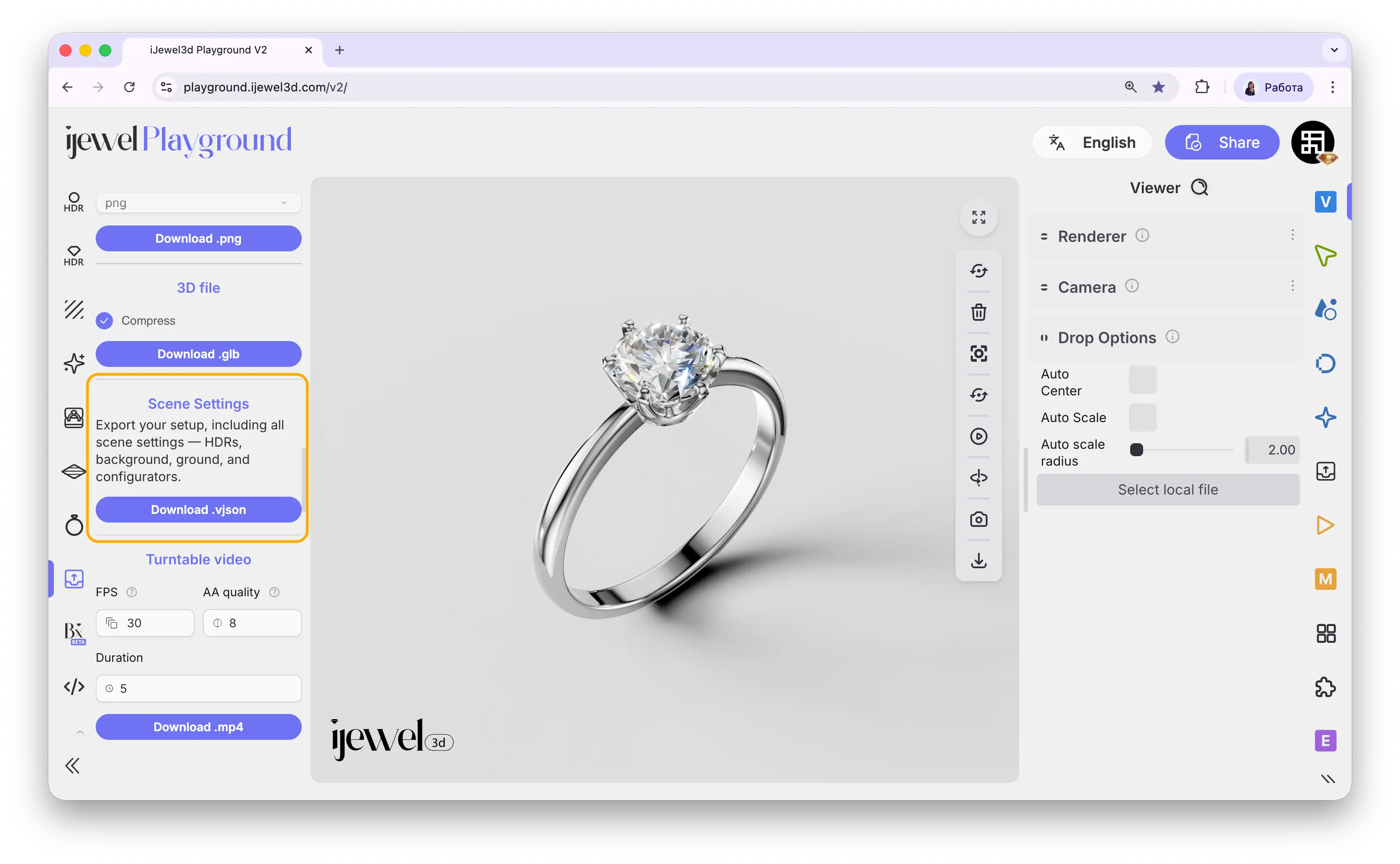
Method 1 — Left Panel (Quick Export)
The fastest way to export all scene settings:
- Open the
 Export tab on the left panel
 - Find the Scene Settings section
- Click Download VJSON
This saves all settings currently applied in your scene — background, ground, shadows, tonemapping, post-processing, material configurators, and everything else — as a single .vjson file.
Method 2 — Right Panel (Advanced Export)
For more control over exactly what to include in the exported file:
- Open the
 Export tab on the right panel
 - Go to the Asset Export section
- Open Preset Config Export
- Click Plugins to see the full list of what can be included or excluded
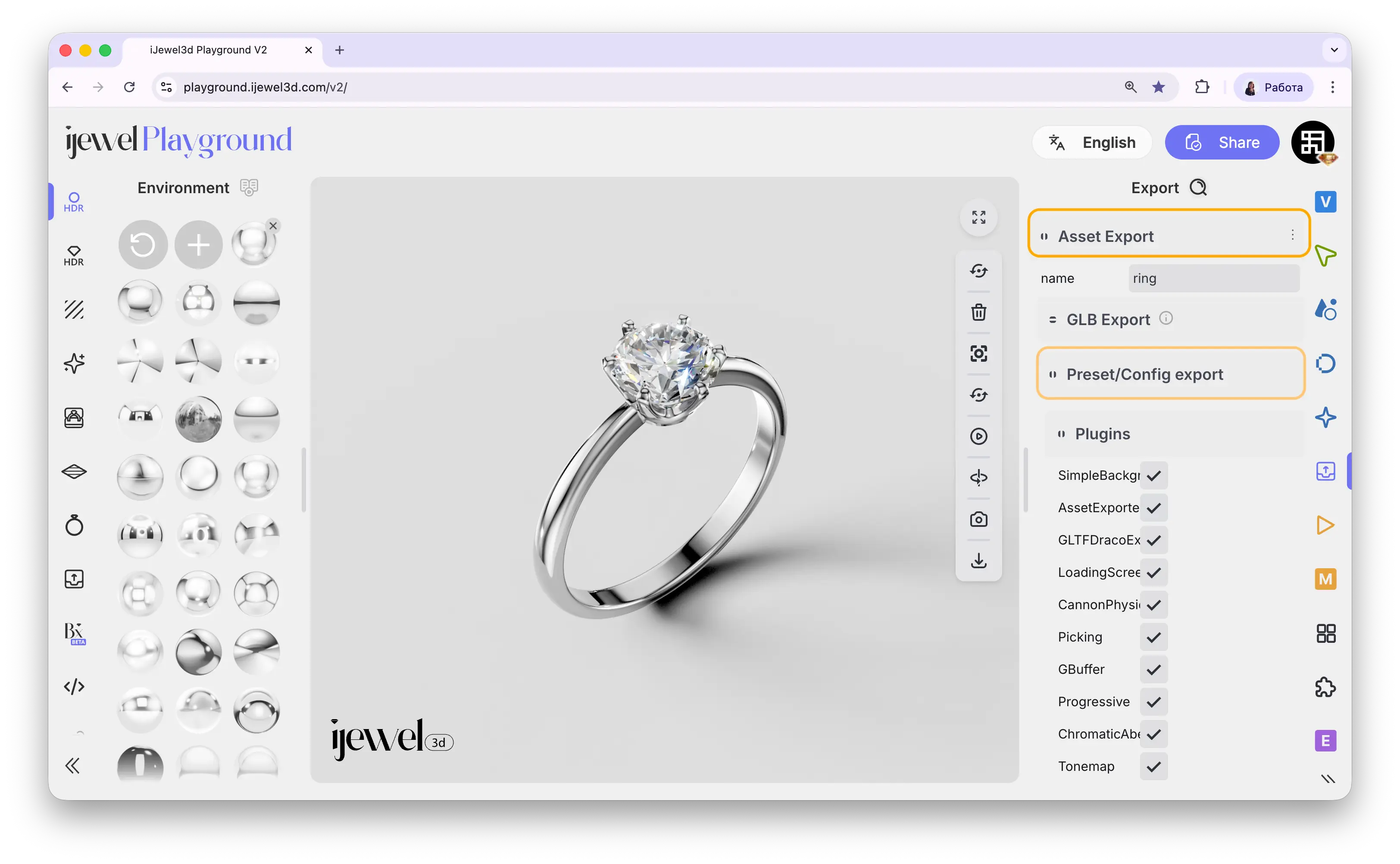
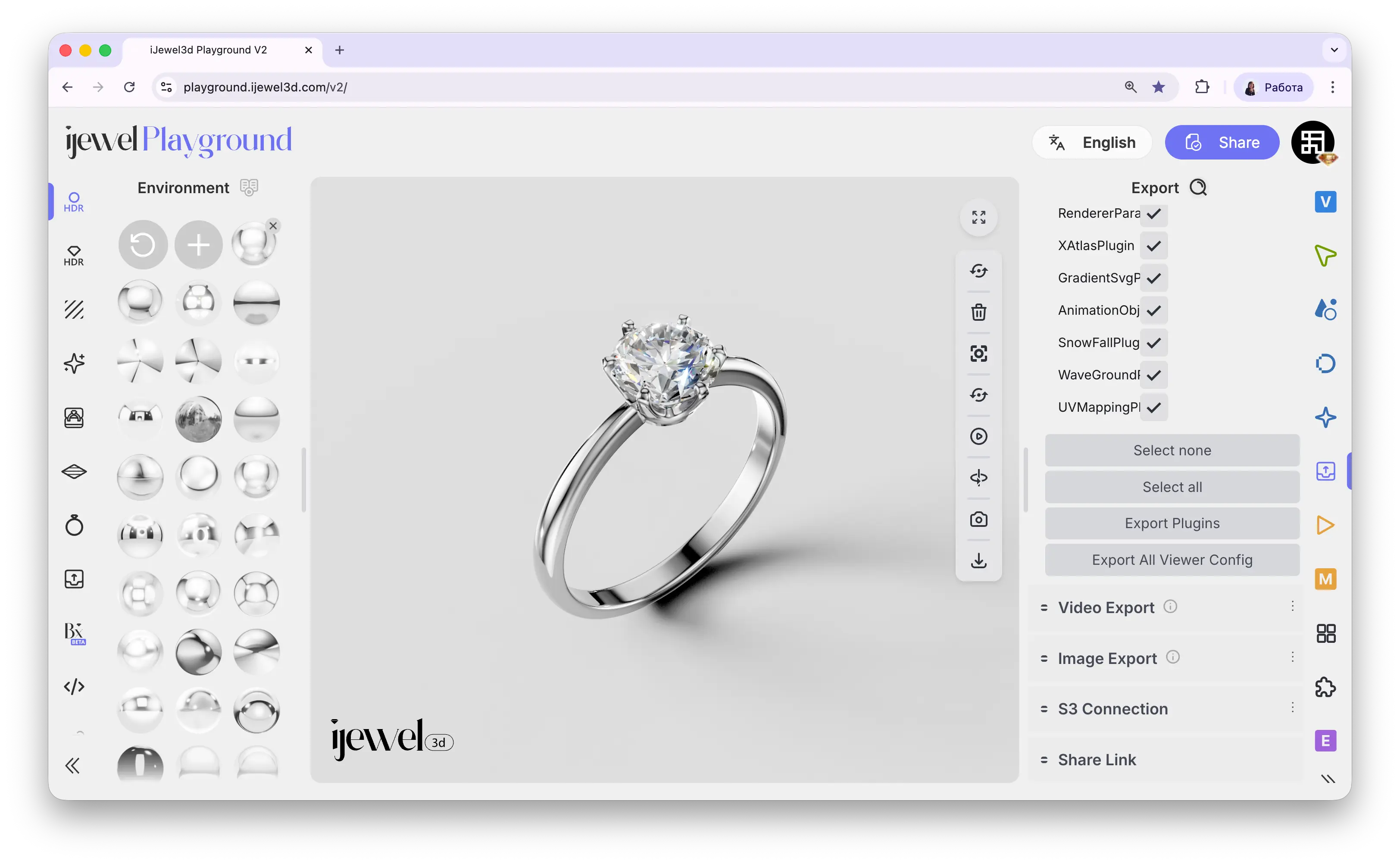
Here you can individually toggle which settings to include in the .vjson export. For example, you can exclude material configurators, remove a specific HDR map, or keep only the post-processing settings — giving you full control over what goes into the file.
Quick Actions
Exporting Individual Settings (.json)
You can also export a single setting as a .json file — for example, only the ground preset, only the tonemapping, or only the camera settings. This is useful when you want to transfer one specific aspect of your scene to another project.
- On the right panel, navigate to the tab that contains the setting you want to export (e.g.,
 Scene for ground settings, or
  Post Processing for effects)
 - Find the specific setting (e.g., Ground, Tonemapping, SSR, etc.)
- Click the three dots (⋮) next to the setting name
- Select Download preset from the menu
- The
.jsonfile with that specific setting will be downloaded
What can be exported as individual .json?
You can export presets for almost any setting in the right panel, including:
- Scene: Ground, Progressive Shadow, Background
- Post Processing: Screen Space Reflection (SSR), Tonemapping, Bloom, Depth of Field, SSAO, SSBevel, Vignette
- Viewer: Renderer settings, Camera settings
- Anti-aliasing: TAA, Progressive AA
TIP
Individual .json presets can be imported back by drag & drop onto the canvas. Ground .json files can also be saved to the library for quick reuse.
Related Pages
- Import Scene Settings — Import
.vjsonand.jsonfiles back into Playground - UI Overview — Interface layout and panels
- Export Models — Export your scene as a
.glbfile - Export Materials — Export
.pmatand.dmatmaterial files - Renderer Settings — Configure render quality and scale