
Post Processing
Post Processing effects are applied after the 3D scene is rendered, adjusting the final image appearance — color grading, reflections, edge highlights, lens effects, and more. These settings let you fine-tune the visual style of your jewelry renders without changing the scene itself.
Where to Find It
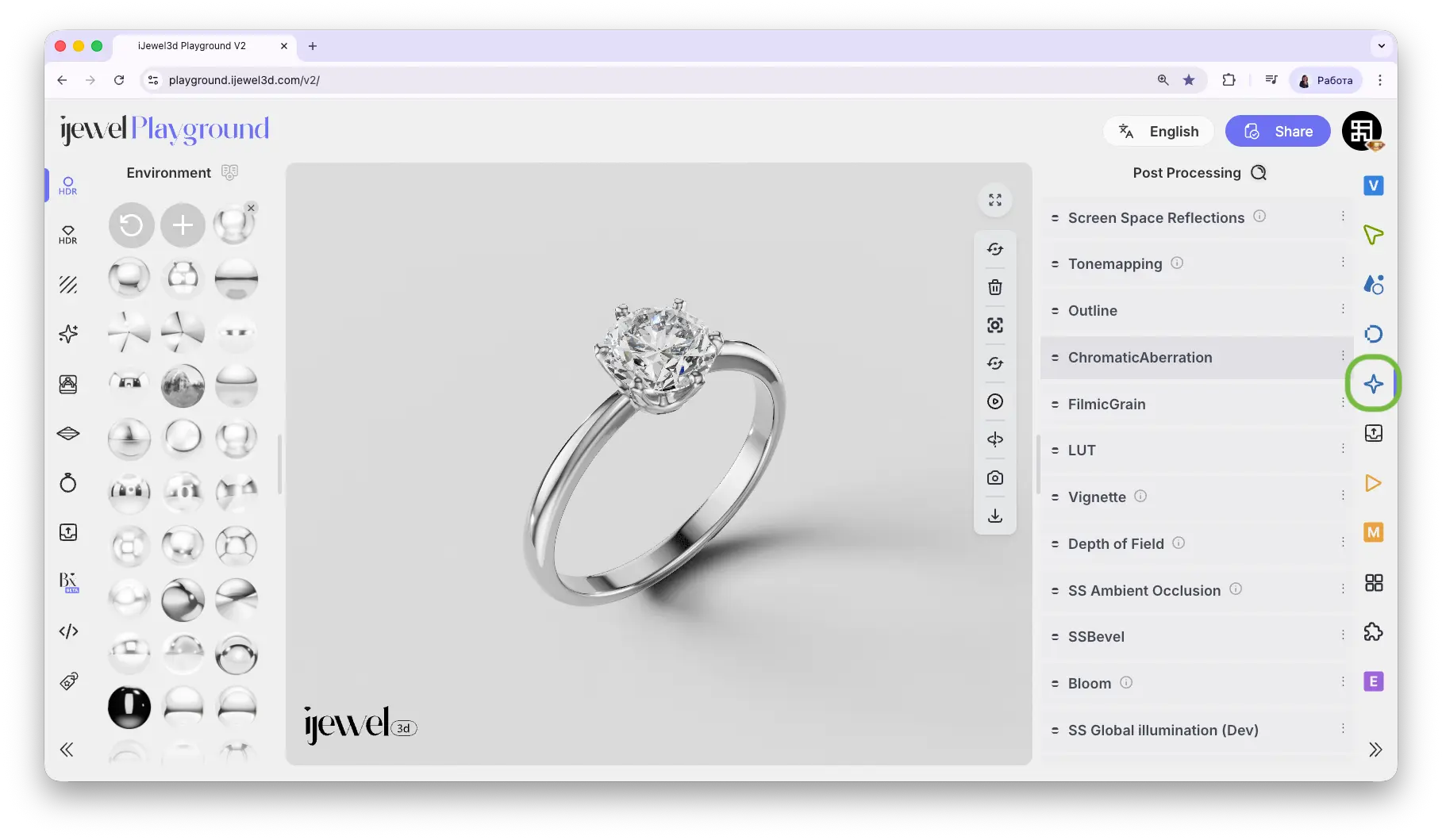
This section is located on the right panel, accessible via the  Post Processing tab.
Sections
Screen Space Reflections (SSR)Real-time reflections on glossy and metallic surfacesTonemappingExposure, contrast, saturation, and color mapping modesOutlineSelection highlight and object outline settingsChromatic AberrationLens color fringing effect for a cinematic lookFilmic GrainAnalog film grain noise for a warmer, organic feelLook Up Tables (LUT)Custom color grading presets via .cube filesVignetteDarkened edges for a focused center lookDepth of FieldSelective focus with background blurScreen Space Ambient Occlusion (SSAO)Contact shadows in crevices — enabled by defaultScreen Space BevelEdge softening without modifying geometryBloomGlow effect around bright areasScreen Space Global Illumination (SSGI)Indirect light bouncing between surfacesScreen Space Contact ShadowsFine shadows between close surfaces
Related Pages
- Anti-aliasing — Progressive, Temporal AA, and Velocity Buffer settings
- Renderer Settings — Resolution and quality configuration
- Export Images — Image export settings
- Export Videos — Video export settings