
iframe Embedding
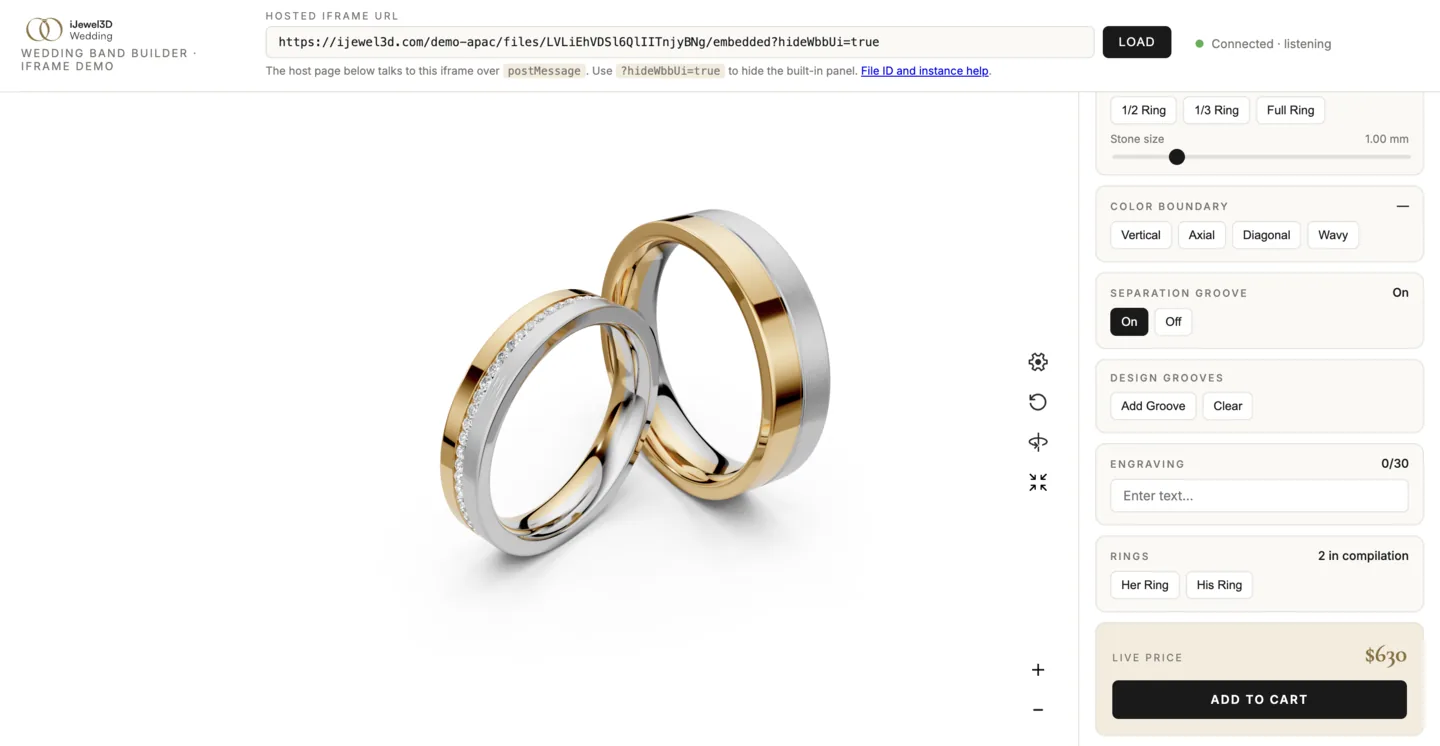
View the tested iframe host demo or browse its source.
The published source includes the host HTML, styles, and postMessage controller. Copy the complete iframe-demo folder so its relative asset URLs continue to resolve.
Embed the Wedding Band Builder in an <iframe> for isolated, drop in integration. The viewer runs in its own context and you communicate with it via postMessage. Ideal for CMS platforms, Shopify stores, or any page where you can't add custom scripts.
When to Use This
- You're on a CMS or e-commerce platform (Shopify, WordPress, Squarespace, etc.)
- You can't add custom
<script>tags to the page - You want full isolation between the viewer and your page
- You need cross-origin embedding
Quick Start
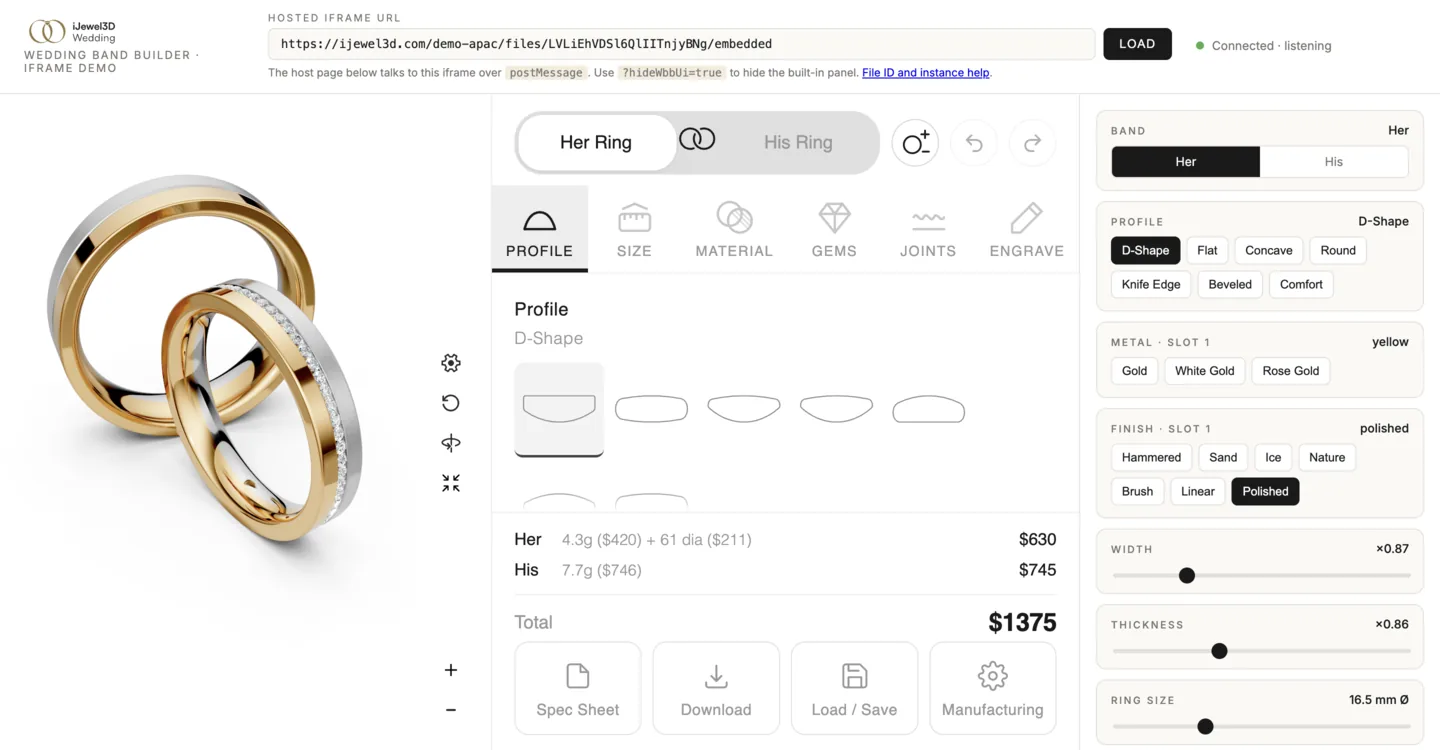
Hosted iJewel3D Embed
Use the production Drive embed when you already have a published file. The fileId and instance come from the project you built in Create a Project:
<iframe
  id="wbb-iframe"
  src="https://ijewel3d.com/YOUR_INSTANCE/files/YOUR_FILE_ID/embedded?isAutoplay=true&showUiButtons=true"
  style="width: 100%; height: 600px; border: none;"
  allow="camera; fullscreen"
></iframe>
The hosted route is:
https://ijewel3d.com/<instance>/files/<fileId>/embeddedSupported display parameters are case-sensitive:
| Parameter | Effect |
|---|---|
isAutoplay=true | Start the viewer automatically |
hideWbbUi=true | Hide the built-in Wedding Band controls |
showUiButtons=true | Show the viewer action buttons |
The mini-viewer version inside a hosted iframe is controlled by the deployed iJewel3D application. The parent page cannot pin that internal version.
Viewer 0.6.11 or newer required for host controls
The cross-origin ready handshake and reliable teardown require Mini Viewer 0.6.11 or newer inside the hosted application. Material variants, the outside and inside material features, and the Modern Metals layout need 0.6.17 or newer. If the 3D rings render but the parent never receives ready, the embed deployment is older than the documented protocol. Upgrade the hosted application or use the self-hosted viewer page below, where you control the Viewer release.
Self-Hosted Viewer Page
Create an HTML file that loads the mini-viewer inside the iframe. This page handles all the postMessage bridging automatically.
View full viewer page source and host this file on your server or CDN.
TIP
The viewer page reads ?manifest=, ?basePath=, and ?ui= from URL parameters, making it reusable across different product pages without code changes.
Embed the Self-Hosted Page
<iframe
  id="wbb-iframe"
  src="https://your-site.com/wbb-viewer.html"
  style="width: 100%; height: 600px; border: none;"
  allow="camera; fullscreen"
></iframe>
The camera permission lets Try-On start the camera inside the iframe.
WARNING
Without camera in the iframe's allow attribute, the Try-On button can appear but the camera request is blocked. Always include it:
<iframe src="viewer.html" allow="camera"></iframe>The page must also be served over HTTPS for camera access.
Communicate via postMessage
const iframe = document.getElementById('wbb-iframe');
const viewerOrigin = new URL(iframe.src).origin;
let requestId = 0;

// Send a command
function send(method, args = []) {
  iframe.contentWindow.postMessage({
    id: `req-${++requestId}`, method, args,
  }, viewerOrigin);
}

// Listen for events
window.addEventListener('message', (e) => {
  if (e.source !== iframe.contentWindow) return;
  if (e.origin !== viewerOrigin) return;

  if (e.data?.event === 'ready') {
    send('setProfile', [0]);
    send('setMaterialRef', [1, {
      base: 'yellow', variant: '18k', finish: 'polished',
    }]);
  }
  if (e.data?.event === 'price:updated') {
    document.getElementById('price').textContent =
      `$${e.data.data.pricing.totalUsd.toFixed(2)}`;
  }
});
The bridge also exposes the outside-feature methods. For example, send setOutsideFeatures with one feature object and the optional band name:
send('setOutsideFeatures', [{
  inlays: [{
    centerZ: 0, widthMm: 1,
    metal: 'yellow', variant: '18k', finish: 'polished',
  }],
  overlays: [],
}]);
It forwards inlays:changed, overlays:changed, and sleeve:changed events to the parent with the same { event, data } envelope.
Ready lifecycle
The Wedding Band plugin installs its global and postMessage exposure before it emits { event: 'ready', data: {} }. It emits ready exactly once for each successful project initialization. Wait for that event before sending commands or queries.
Importing another project or reloading the iframe starts a new lifecycle and produces a new ready event. Disposing or resetting the plugin removes its message listener and event forwarding, so an old controller cannot reply after teardown.
View complete host page example for a full page with profile/material buttons and live price display.
Headless Mode
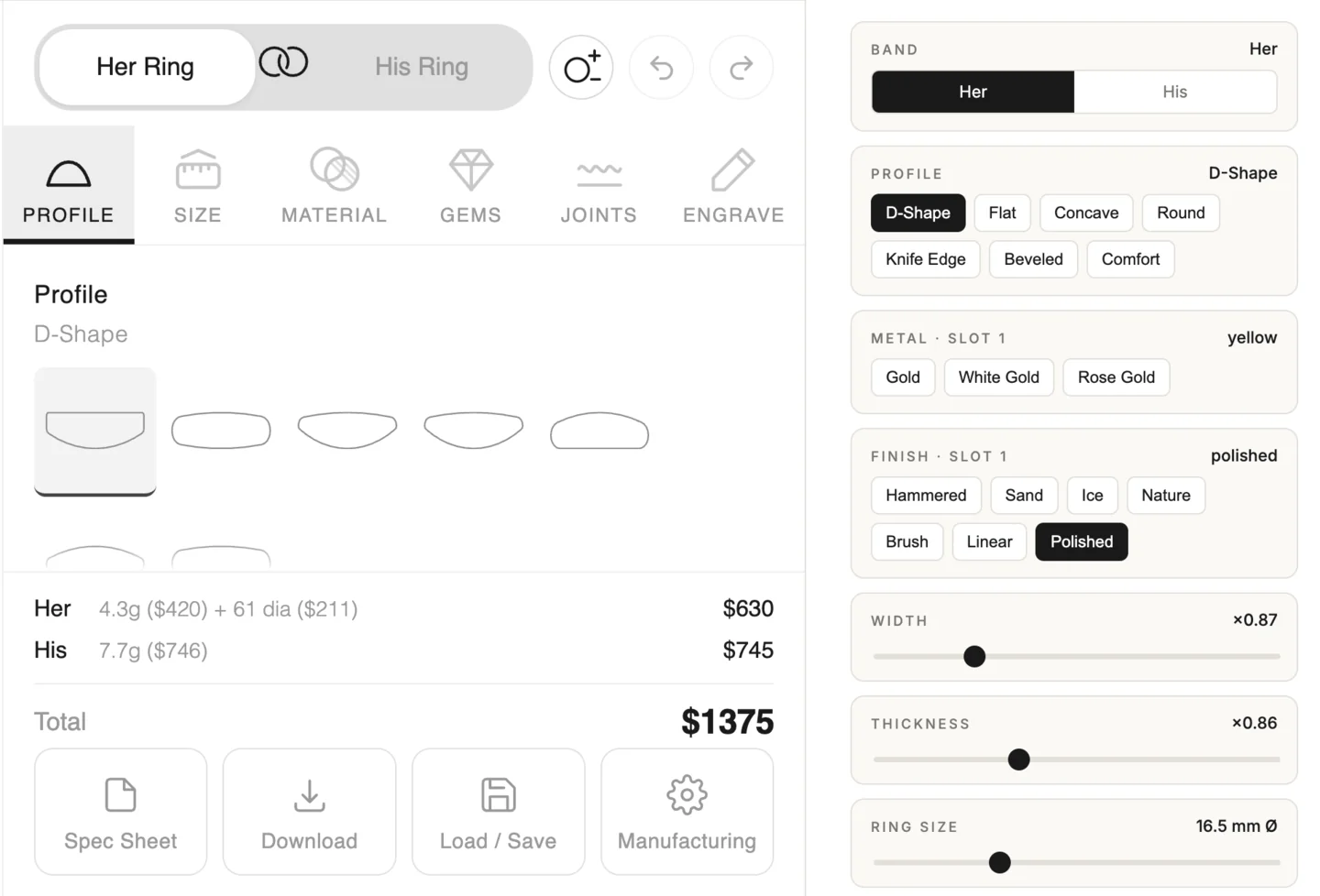
For a self-hosted viewer page, load the iframe with ?ui=false to hide the built-in panel and build all controls on the host page:
<iframe src="wbb-viewer.html?ui=false" style="width: 100%; height: 500px; border: none;"></iframe>For the hosted iJewel3D route, use hideWbbUi=true:
<iframe src="https://ijewel3d.com/YOUR_INSTANCE/files/YOUR_FILE_ID/embedded?hideWbbUi=true"></iframe>Use postMessage to query the catalog and control everything from your page. See Custom UI (Headless) for a full guide on building custom controls.
postMessage Protocol
Sending commands (all API methods are available):
// Command:  { id: 'req-1', method: 'setWidth', args: [5.0] }
// Success:  { id: 'req-1', result: null }
// Error:    { id: 'req-1', error: { message: '...', source: 'api' } }
Receiving events (forwarded automatically from the viewer):
// { event: 'price:updated', data: { bandName: 'her', pricing: { totalUsd: 1250.00, ... } } }Promise-based query helper
function query(method, args = []) {
  return new Promise((resolve, reject) => {
    const id = `req-${++requestId}`;
    const timeout = setTimeout(() => {
      cleanup();
      reject(new Error(`Timed out waiting for ${method}`));
    }, 8000);

    const cleanup = () => {
      clearTimeout(timeout);
      window.removeEventListener('message', handler);
    };

    const handler = (e) => {
      if (e.source !== iframe.contentWindow) return;
      if (e.origin !== viewerOrigin) return;
      if (e.data?.id !== id) return;
      cleanup();
      if (e.data.error) reject(new Error(e.data.error.message));
      else resolve(e.data.result);
    };
    window.addEventListener('message', handler);
    iframe.contentWindow.postMessage({ id, method, args }, viewerOrigin);
  });
}

// Usage
const price = await query('getPrice', ['her']);
const snapshot = await query('getSnapshot');
E-Commerce Platform Examples
Ready-to-use integration examples for popular platforms. Each includes the iframe embed, live price display, and Add to Cart wiring.
| Platform | What You Get | Example |
|---|---|---|
| Shopify | Liquid section + cart integration | View example |
| WooCommerce | Shortcode + AJAX cart handler | View example |
| Magento | PHTML block + layout XML + controller | View example |
| BigCommerce | Stencil template + Storefront API | View example |
| Wix | HTML embed + Velo code | View example |
Security: Restrict Origins
In production, always use the exact target origin and validate both the source window and origin of every incoming message:
const viewerOrigin = new URL(iframe.src).origin;
iframe.contentWindow.postMessage({ id, method, args }, viewerOrigin);

window.addEventListener('message', (event) => {
  if (event.source !== iframe.contentWindow) return;
  if (event.origin !== viewerOrigin) return;
  // Handle the validated message.
});
Responsive Sizing
.viewer-container {
  position: relative;
  width: 100%;
  padding-bottom: 75%; /* 4:3 aspect ratio */
}
.viewer-container iframe {
  position: absolute;
  top: 0; left: 0;
  width: 100%; height: 100%;
  border: none;
}
AR Support
Add camera to the iframe's allow attribute. Try-On uses the camera and live hand tracking; it does not require WebXR. Without camera permission, the button can appear but the camera cannot start.
Same-Origin Shortcut
If the iframe and host page are on the same origin, you can skip postMessage entirely:
const iframe = document.getElementById('wbb-iframe');
const viewer = iframe.contentWindow.ijewelViewer;
const api = viewer.getPluginByType('WeddingBandBuilder').controller;
api.setWidthMultiplier(1.1);
URL Parameters
The self-hosted viewer page accepts these query parameters:
| Parameter | Default | Description |
|---|---|---|
manifest | wedding-band-project.json | URL to the manifest JSON file |
basePath | (viewer page directory) | Base URL for resolving asset paths |
ui | true | Set to false to hide the built-in panel (headless mode) |
<!-- Default: built-in UI shown -->
<iframe src="wbb-viewer.html"></iframe>

<!-- Headless: no built-in UI -->
<iframe src="wbb-viewer.html?ui=false"></iframe>

<!-- Custom manifest and base path -->
<iframe src="wbb-viewer.html?manifest=my-config.json&basePath=https://cdn.example.com/rings/"></iframe>
Hosted Embed URL Parameters
The iJewel3D hosted route uses isAutoplay, hideWbbUi, and showUiButtons. Parameter names are case-sensitive; for example, isAutoPlay is not equivalent to isAutoplay.
<iframe
  src="https://ijewel3d.com/YOUR_INSTANCE/files/YOUR_FILE_ID/embedded?isAutoplay=true&hideWbbUi=true&showUiButtons=true"
></iframe>
Next Steps
- Custom UI (Headless) to build your own controls
- API Reference for complete method documentation
- Pricing Engine to configure the pricing engine