
Custom UI (Headless)
View the tested Custom UI template or browse its source.
The source is a multi-file template. The Drive-backed page uses script-drive.js; the self-hosted page uses script-self-hosted.js and wedding_band_project.json. Copy the matching HTML, script, stylesheet, and project JSON instead of mixing files from the two variants.
Build your own fully custom interface for the Wedding Band Builder. Hide the built-in panel, use the API's catalog methods to populate your controls, and wire them to the write methods. Your team or agency owns the UI entirely. No dependency on a third party for branding changes, layout updates, or feature additions.
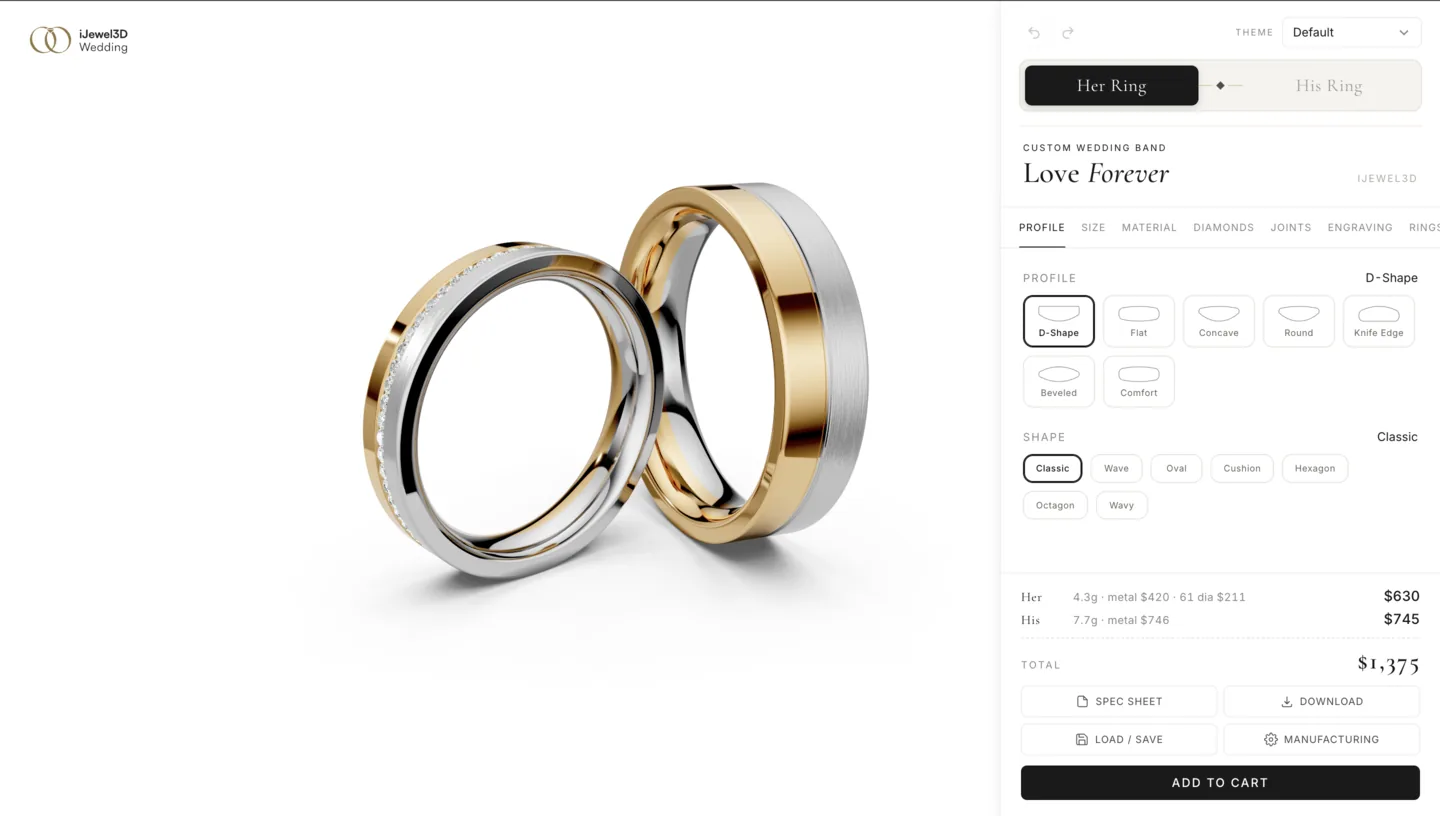
Overview
Set hideWbbUi: true in Mini Viewer's options to run in headless mode. The 3D viewer renders with no built-in panel. This works with both integration approaches:
| Integration | How to Enable | How to Access API |
|---|---|---|
| Script Tag | hideWbbUi: true in viewer options | viewer.getPluginByType('WeddingBandBuilder').controller |
| iframe | ?ui=false URL parameter | postMessage from the host page |
This page covers the Script Tag approach. For iframe-based custom UI, the same concepts apply but you wrap each API call in postMessage. See iframe headless mode.
Getting Started
let api;
let wbbPlugin;

// Initialize in headless mode
new ijewelViewer.Viewer(document.getElementById('viewer'), {
  name: 'Wedding Band Builder',
  version: 'v5',
  basePath: 'https://your-cdn.com/wbb-assets/',
  plugins: {
    WeddingBandBuilder: {
      manifestUrl: 'wedding-band-project.json',
    },
  },
}, {
  showCard: false, showSwitchNode: false, showUiButtons: false,
  showConfigurator: false, showZoomButtons: false, enableZoom: true,
  hideWbbUi: true,
});

// Wait for API, then build your UI
window.addEventListener('ijewel-viewer-ready', (e) => {
  wbbPlugin = e.detail.viewer.getPluginByType('WeddingBandBuilder');
  api = wbbPlugin.controller;

  // Read the catalog to see what's available in your manifest
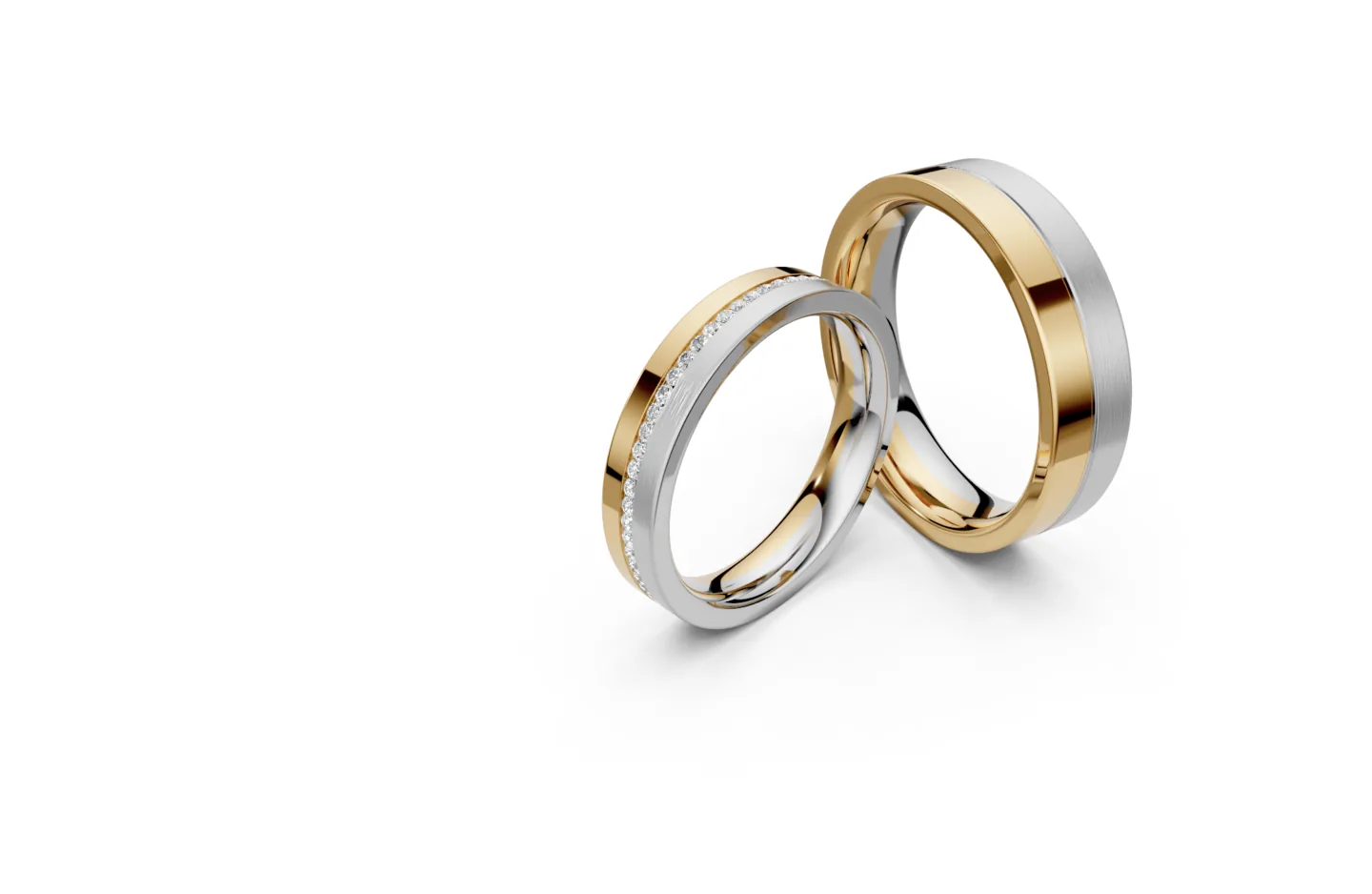
  const profiles = api.getAvailableProfiles();
  const materials = api.getAvailableMaterials('band');

  // Wire your controls to the API
  buildProfileSelector(profiles);
  buildMaterialSwatches(api, materials);
  buildWidthSlider();
  buildPriceDisplay();
});
Building Controls
Each control follows the same pattern: read options from the catalog, create your UI, and call an API setter on interaction.
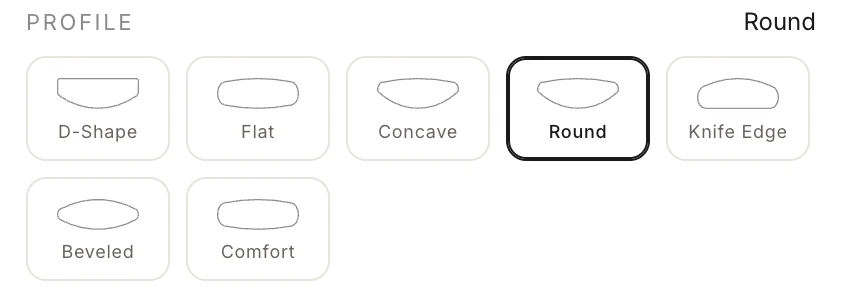
Profile Selector
function buildProfileSelector(profiles) {
  const container = document.getElementById('profile-selector');

  profiles.forEach((profile) => {
    const btn = document.createElement('button');
    btn.textContent = profile.name;

    // Use thumbnail from manifest if available
    if (profile.thumbnail) {
      btn.style.backgroundImage = `url(${profile.thumbnail})`;
    }

    btn.addEventListener('click', async () => {
      await api.setProfile(profile.index);
      container.querySelectorAll('button').forEach(b => b.classList.remove('active'));
      btn.classList.add('active');
    });

    container.appendChild(btn);
  });
}
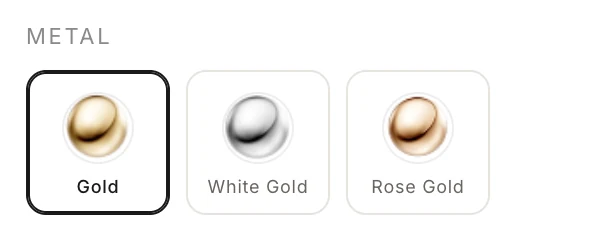
Material Swatches
function buildMaterialSwatches(api, materials) {
  const container = document.getElementById('metal-selector');

  materials.forEach((material) => {
    const swatch = document.createElement('button');
    swatch.className = 'swatch';
    swatch.title = material.name;

    if (material.iconUrl) {
      swatch.style.backgroundImage = `url(${material.iconUrl})`;
      swatch.style.backgroundSize = 'cover';
    } else if (material.swatch) {
      swatch.style.backgroundColor = material.swatch;
    }

    swatch.addEventListener('click', async () => {
      const variants = api.getAvailableVariants(material.id);
      const variant = variants.find(v => v.id === material.defaultVariant)
        || variants[0];
      const finishes = api.getAvailableFinishesFor(material.id)
        .filter(f => !variant?.files || variant.files[f.id]);
      const finish = finishes.find(f => f.id === material.defaultFinish)
        || finishes[0];

      await api.setMaterialRef(1, {
        base: material.id,
        variant: variant?.id,
        finish: finish?.id,
      });
    });

    container.appendChild(swatch);
  });
}
Outside Features and Inside Sleeve
Read each feature picker with its usage role. Push a complete group with one setOutsideFeatures() call when several controls change together.
const inlayMaterial = api.getAvailableMaterials('inlay')[0];
const sleeveMaterial = api.getAvailableMaterials('sleeve')[0];

if (api.areOutsideFeaturesAvailable() && inlayMaterial) {
  await api.setOutsideFeatures({
    inlays: [{
      centerZ: 0,
      widthMm: 1,
      metal: inlayMaterial.id,
      variant: inlayMaterial.defaultVariant,
    }],
    overlays: [],
    sleeve: sleeveMaterial ? {
      enabled: true,
      metal: sleeveMaterial.id,
      variant: sleeveMaterial.defaultVariant,
      full: true,
    } : null,
  });

  const bounds = api.getInlayBounds(0);
  const inlayPosition = document.getElementById('inlay-position');
  inlayPosition.min = bounds.centerMin;
  inlayPosition.max = bounds.centerMax;
}
Re-read bounds after width or feature changes. Inlay indices can change because the controller sorts them by center position.
Dimension Sliders
function buildDimensionSliders() {
  const widthSlider = document.getElementById('width-slider');
  const widthLabel = document.getElementById('width-value');

  const widthLimits = api.getLimits().width;
  widthSlider.min = widthLimits.min;
  widthSlider.max = widthLimits.max;
  widthSlider.step = widthLimits.step || 0.05;

  const dims = api.getDimensions();
  widthSlider.value = dims.widthMm;
  widthLabel.textContent = `×${dims.widthMm.toFixed(2)}`;

  widthSlider.addEventListener('input', (e) => {
    const multiplier = parseFloat(e.target.value);
    api.setWidthMultiplier(multiplier);
    widthLabel.textContent = `×${multiplier.toFixed(2)}`;
  });
}<input id="width-slider" type="range" min="0.5" max="2" step="0.05" />
<span id="width-value">×1.00</span>Diamond Controls
function buildDiamondControls() {
  const container = document.getElementById('diamond-controls');
  const types = api.getAvailableSettingTypes();

  // "None" option
  const noneBtn = document.createElement('button');
  noneBtn.textContent = 'No Diamonds';
  noneBtn.addEventListener('click', () => api.setDiamonds(null));
  container.appendChild(noneBtn);

  types.filter(type => type.id !== 'none').forEach((type) => {
    const btn = document.createElement('button');
    btn.textContent = type.name;
    btn.addEventListener('click', () => api.setDiamonds({ settingType: type.id }));
    container.appendChild(btn);
  });
}
Ring Size
function buildRingSizeControl() {
  const slider = document.getElementById('ring-size');
  const label = document.getElementById('ring-size-value');

  // Ring size: inner diameter in mm, snapping to standard half-sizes
  slider.min = 14.04;  // US 3
  slider.max = 22.32;  // US 13
  slider.step = 0.4;   // ~half-size increments

  slider.addEventListener('input', (e) => {
    const diamMm = parseFloat(e.target.value);
    api.setRingSize(diamMm / 2);  // API takes radius
    label.textContent = `${diamMm.toFixed(1)} mm`;
  });
}
Live Price Display
function buildPriceDisplay() {
  const el = document.getElementById('price');

  api.events.on('price:updated', (data) => {
    const p = data.pricing;
    let text = `$${p.totalUsd.toFixed(2)}`;
    if (p.diamonds) {
      text += ` (${p.diamonds.count} diamonds, ${p.diamonds.totalCarats.toFixed(2)}ct)`;
    }
    el.textContent = text;
  });

  // Show initial price
  const price = api.getPrice();
  if (price) el.textContent = `$${price.totalUsd.toFixed(2)}`;
}
Staying in Sync
Listen for events to keep your UI in sync when the ring state changes:
api.events.on('band:switched', (data) => {
  const snapshot = api.getSnapshot(data.to);
  updateProfileHighlight(snapshot.profile.index);
  updateMetalHighlight(snapshot.materials.slots[0].metal);
  updateWidthSlider(snapshot.dimensions.widthMm);
});

api.events.on('build:started', () => showSpinner());
api.events.on('build:complete', () => hideSpinner());
TIP
When the user switches bands (her / his), all your controls should update to reflect the new band's state. Call getSnapshot() to get the full configuration.
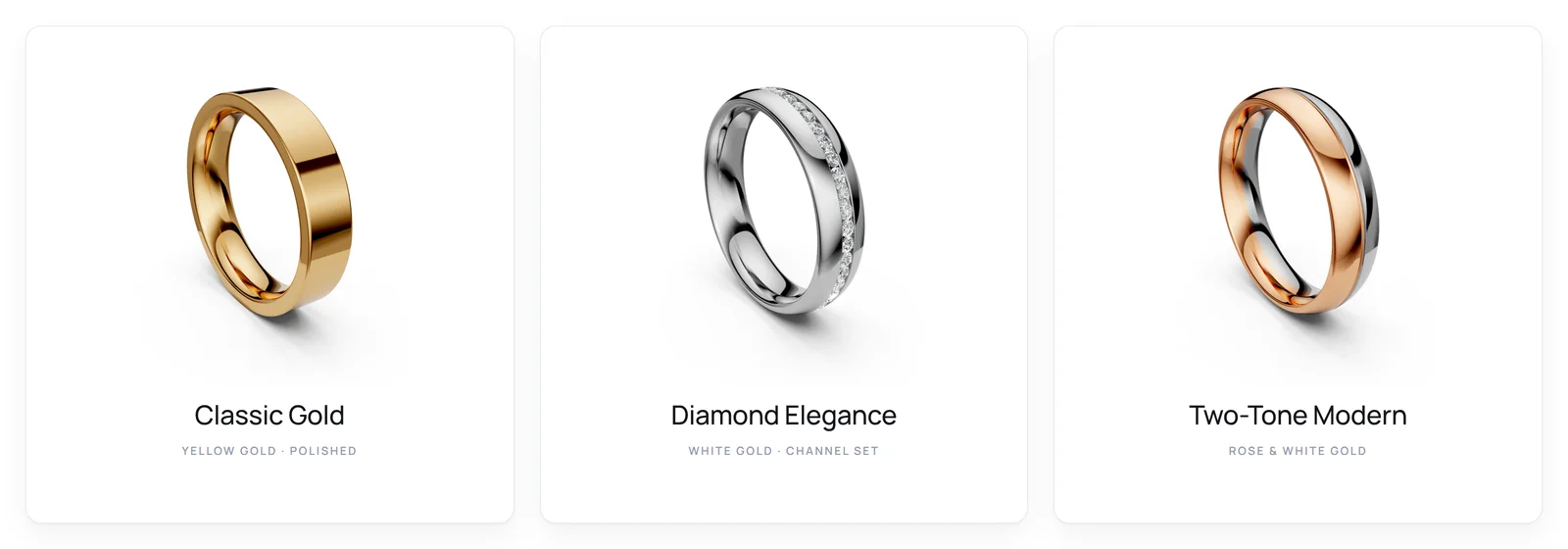
Batch Updates & Presets
Use batch() to apply multiple changes in one geometry rebuild:
await api.batch({
  profile: { name: 'D-Shape' },
  dimensions: { widthMm: 1.0, heightMm: 1.0 },
  materials: {
    partition: 1,
    slots: [{ slot: 1, metal: 'Yellow', finish: 'Polished' }],
  },
  diamonds: null,
  edge: { type: 'None' },
});
Save & Restore Configurations
// Save the complete plugin state, including variants and outside features
const config = api.toJSON();
localStorage.setItem('wbb-config', JSON.stringify(config));

// Restore through the plugin
const saved = localStorage.getItem('wbb-config');
if (saved) await wbbPlugin.fromJSON(JSON.parse(saved));

// Send to backend for order processing
const herConfig = api.getSnapshot('her');
const herPrice = api.getPrice('her');
await fetch('/api/cart/add', {
  method: 'POST',
  headers: { 'Content-Type': 'application/json' },
  body: JSON.stringify({ state: config, summary: herConfig, price: herPrice }),
});
Complete Example
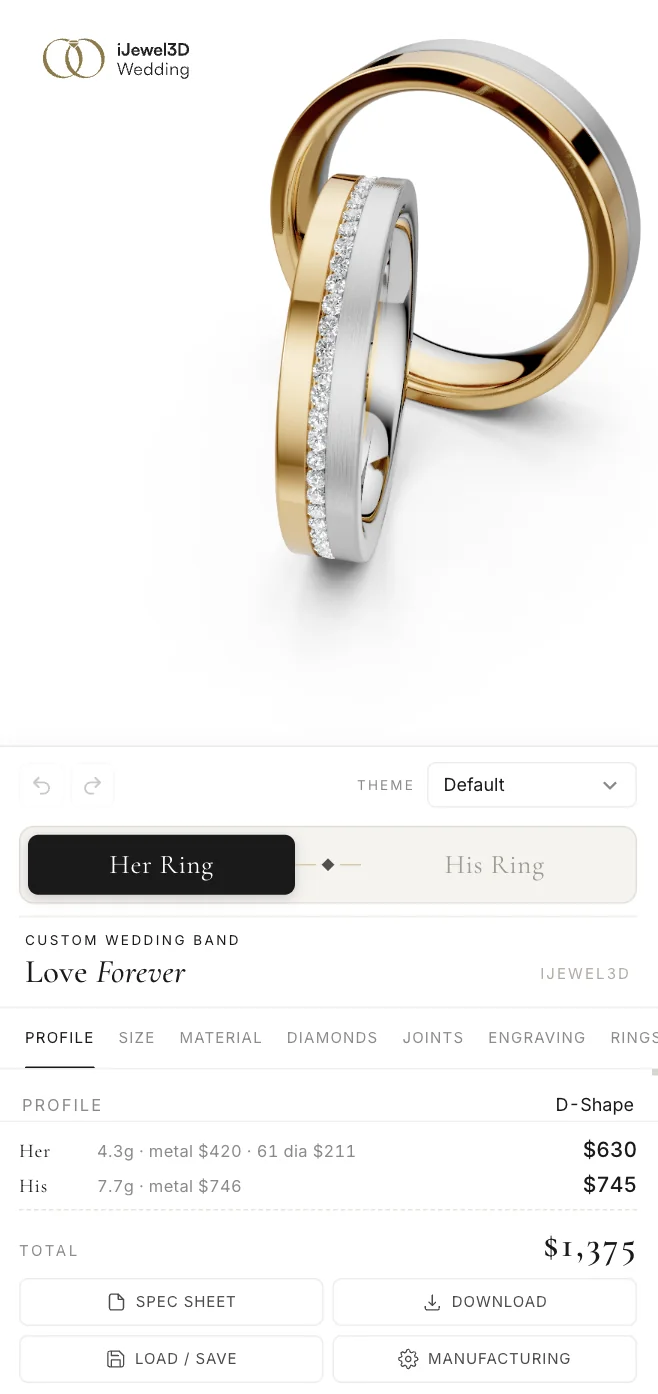
A full working page with profile buttons, material swatches, width slider, diamond options, band toggle, and live price:
View complete custom UI example
Design Tips
Keep it simple. You don't need to expose every API option. Start with profile, metal, and width.
Use thumbnails. Catalog methods return thumbnail URLs when available. Use them for visual selectors.
Show loading state. Profile changes require geometry loading. Listen for build:started / build:complete.
Debounce sliders. For continuous sliders, debounce to avoid excessive rebuilds:
TIP
Debounce slider inputs. The input event fires on every pixel of drag, which can trigger 60+ geometry rebuilds per second. A 50ms debounce keeps the UI responsive:
let timer;
slider.addEventListener('input', (e) => {
  clearTimeout(timer);
  timer = setTimeout(() => api.setWidthMultiplier(parseFloat(e.target.value)), 50);
});
Test on mobile. Make sure your custom controls work on touch devices. The 3D viewer handles touch/pinch natively.
Next Steps
- API Reference for complete method and event documentation
- Pricing Engine to configure the pricing engine
- Theming & Branding if you want to customize the built-in panel instead
- Script Tag (Direct) for built-in panel integration
- iframe Embedding for CMS and e-commerce platforms