
Screen Space Global Illumination (SSGI)
Screen Space Global Illumination simulates light bouncing between surfaces — for example, a gold ring casting a warm glow onto a white surface. This brings out subtle color interactions between metals, gemstones, and the ground, making jewelry renders feel more natural and cohesive.
Where to Find It
This section is located on the right panel, inside the  Post Processing tab, in the SS Global Illumination section.
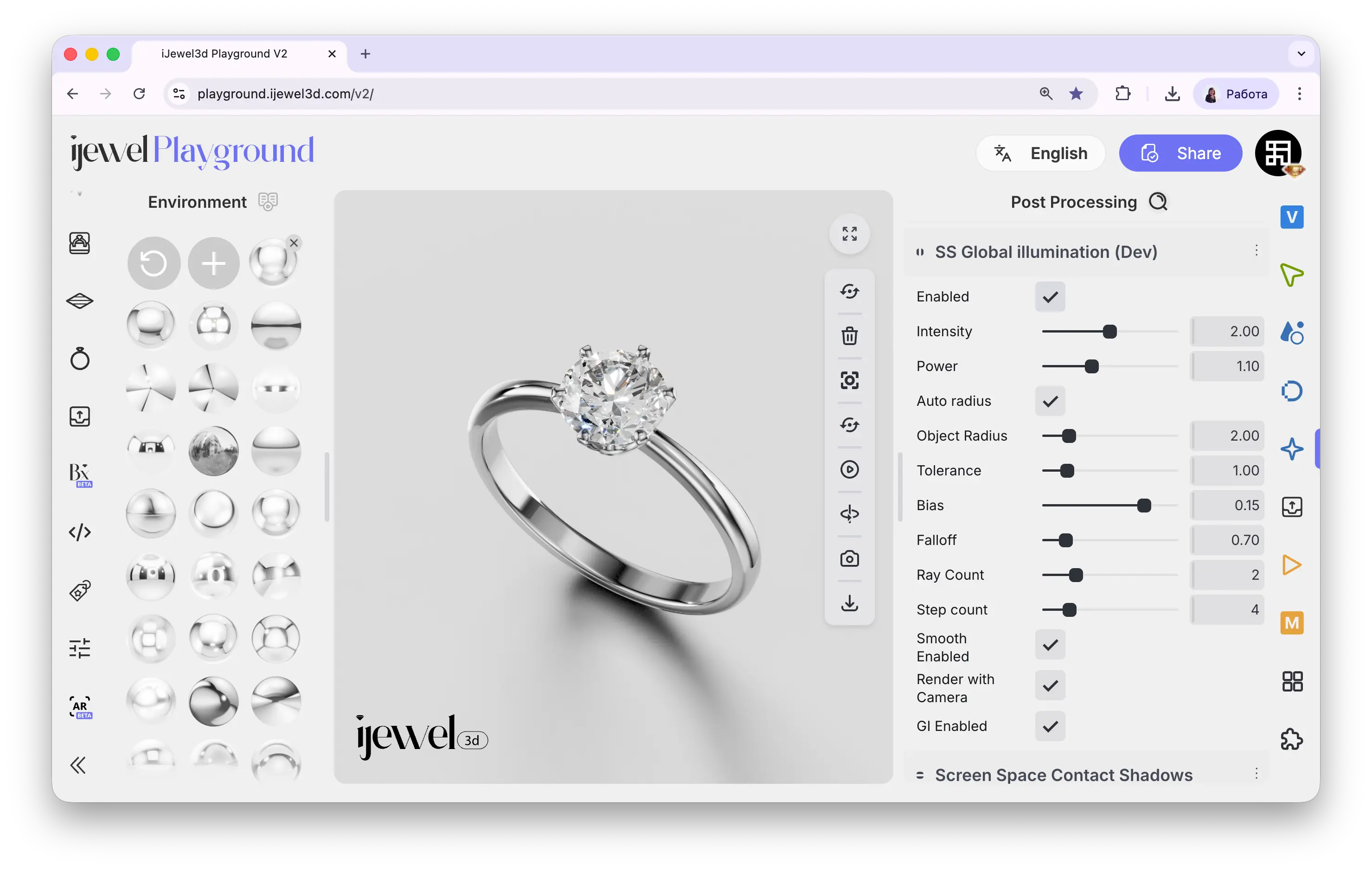
Settings
Enable
checkbox
Toggles the SSGI effect on or off
Intensity
slider
How strong the indirect lighting effect is
Power
slider
Falloff curve — higher values concentrate the effect closer to surfaces
Auto Radius
checkbox
Automatically calculates the optimal sampling radius
Object Radius
slider
How far indirect light can travel between surfaces
Tolerance
slider
Depth tolerance for ray matching — reduces artifacts on thin geometry
Bias
slider
Offsets ray origin to reduce self-illumination artifacts
Fall-Off
slider
How quickly the indirect lighting fades with distance
Ray Count
slider
Rays per pixel — more rays = smoother result but slower
Step Count
slider
Steps per ray — more steps = more precise tracing
Smooth Enabled
checkbox
Smooths the GI result for a softer, less noisy look
Render In Camera
checkbox
Calculates GI from the camera's perspective
GI Enabled
checkbox
Toggles the GI calculation independently from the main Enable
Related Pages
- Screen Space Ambient Occlusion (SSAO) — Contact shadows in crevices
- Screen Space Contact Shadows — Fine shadows between close surfaces
- Screen Space Reflections (SSR) — Real-time reflections
- Tonemapping — Exposure and color grading