
Progressive
Progressive anti-aliasing works by rendering multiple frames of the same view and accumulating (averaging) them together. Each frame uses a slightly different sub-pixel offset, so fine details and edges are sampled at many positions — the result is a smooth, high-quality image with no jagged edges. This is the primary quality setting for still image exports.
Where to Find It
This section is located on the right panel, inside the  Anti-aliasing tab, in the Progressive section.
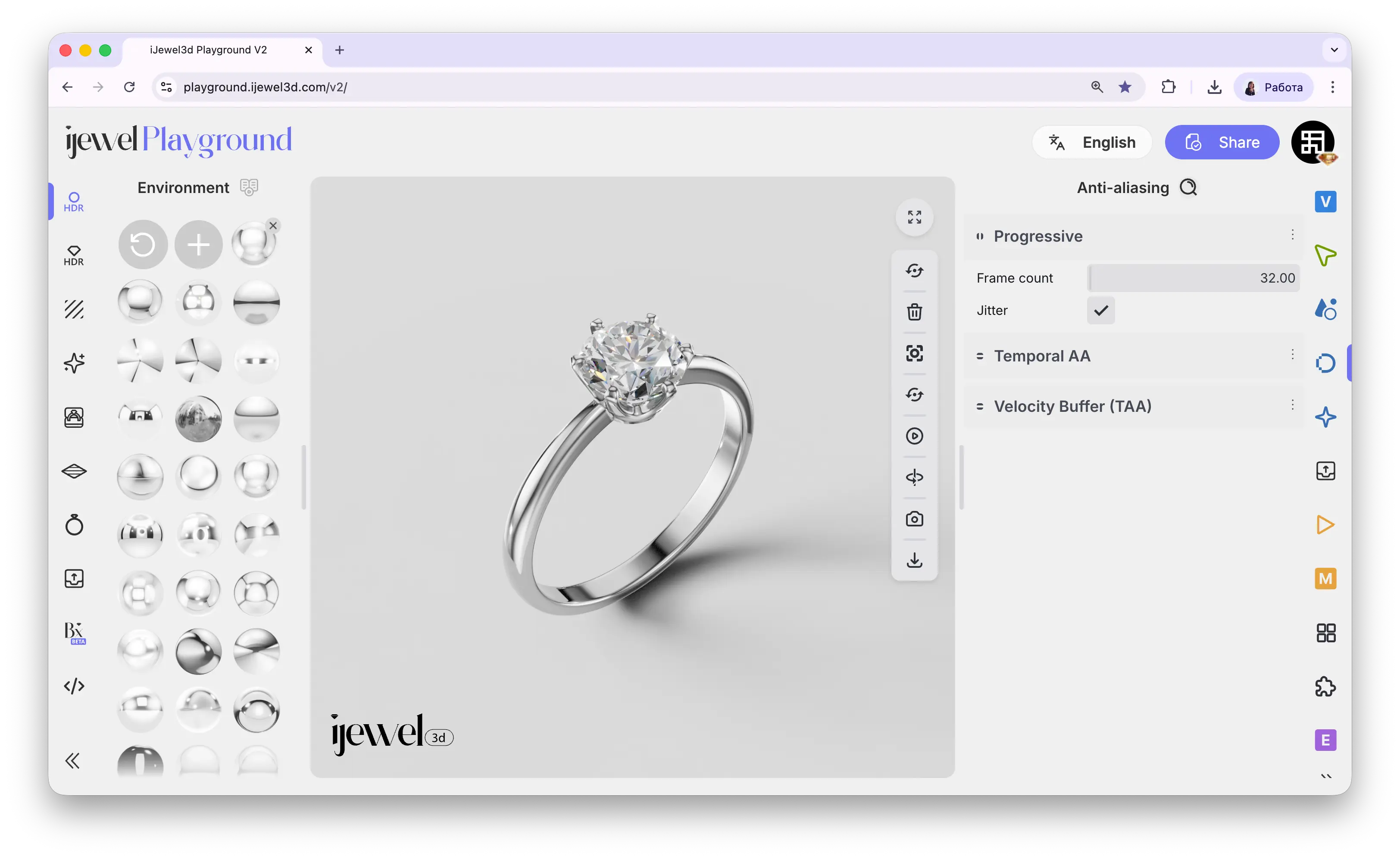
How It Works
When the scene is idle (no camera movement, no animation playing), Playground begins accumulating frames in the background. You'll notice the image gradually becomes sharper and smoother over a few seconds — this is the progressive render converging. Once the set number of frames has been reached, the image is fully resolved.
Any interaction (rotating, zooming, panning) resets the accumulation and it starts over. This is normal — Progressive is designed for the final still result, not for real-time interaction.
Settings
Recommended Values
Export Time
Progressive frame count is the biggest factor in video export duration. If your turntable export takes 10+ minutes, reducing frames from 32 to 4–8 can cut the time by 75% or more while still producing smooth results (especially when combined with Temporal AA).
Related Pages
- Anti-aliasing — Overview of all anti-aliasing sections
- Temporal AA — Real-time temporal anti-aliasing
- Velocity Buffer (TAA) — Motion-aware anti-aliasing
- Export Images — Image export settings
- Export Videos — Video export settings