
Filmic Grain
Filmic Grain adds a subtle noise texture over the render, simulating the grain you see in analog film photography. This gives the image a warmer, more organic feel — useful for lifestyle product shots or when you want to move away from a perfectly clean digital look.
Where to Find It
This section is located on the right panel, inside the  Post Processing tab, in the Filmic Grain section.
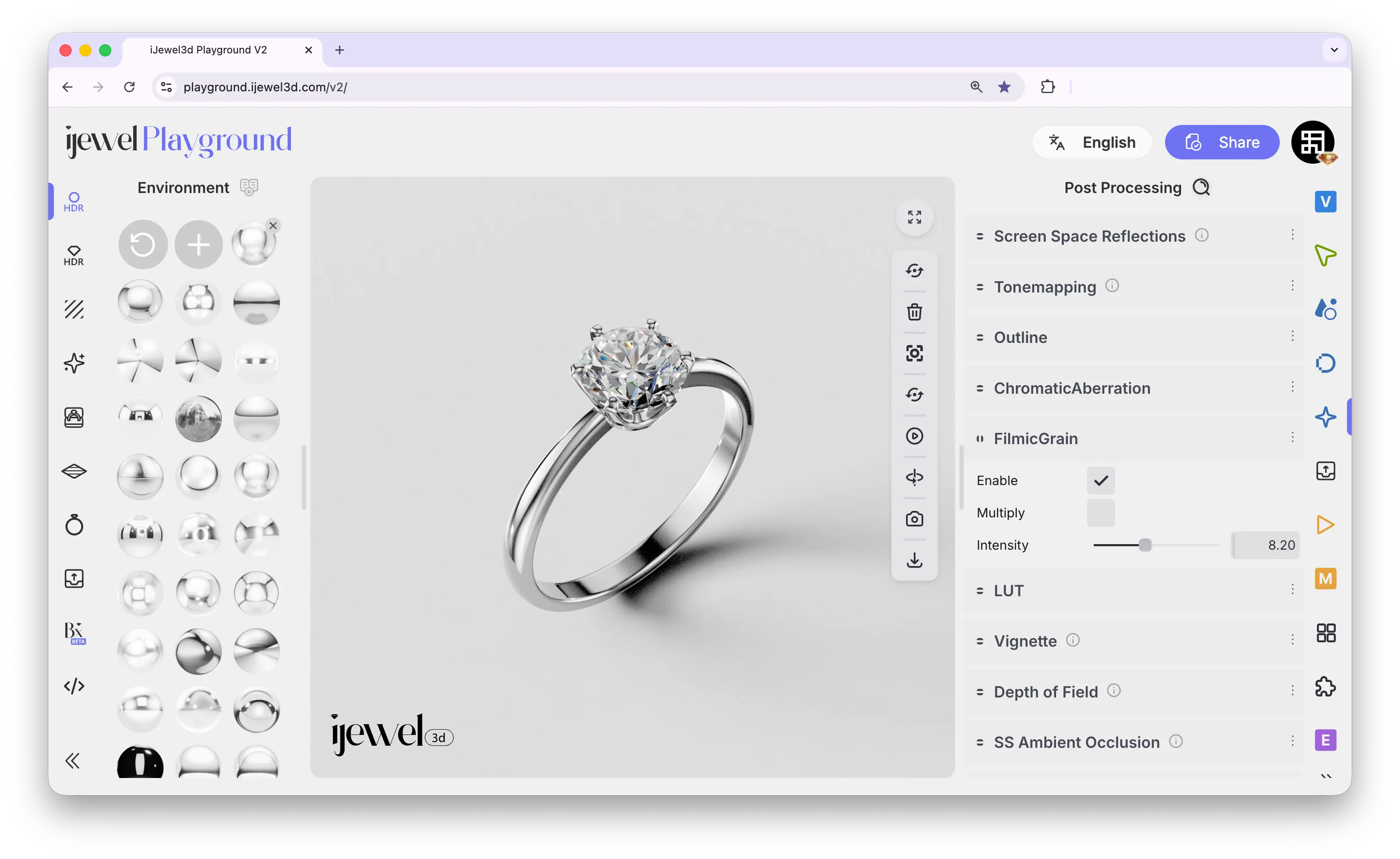
Settings
Enable
Checkbox — toggles the filmic grain effect on or off
Multiply
Checkbox — when enabled, the grain is blended using multiply mode, which darkens the image slightly and makes the grain more visible in bright areas
Intensity
Slider — controls how strong the grain effect is. Keep it low for a subtle film look, increase for a more stylized vintage feel
Related Pages
- Tonemapping — Color grading and exposure adjustments
- Chromatic Aberration — Lens color fringing effect
- Look Up Tables (LUT) — Custom color grading presets
- Export Images — Image export settings