
Depth of Field
Depth of Field creates a blur effect that simulates how a real camera lens focuses — objects at the focal point stay sharp while everything closer or further away becomes blurred.
This effect is especially useful for close-up product shots where you want to highlight a specific detail — like a gemstone setting, an engraving, or the front face of a ring — while softly blurring the rest. It adds a professional, photographic quality to your renders and works great for hero images and marketing materials.
Where to Find It
This section is located on the right panel, inside the  Post Processing tab, in the Depth of Field section.
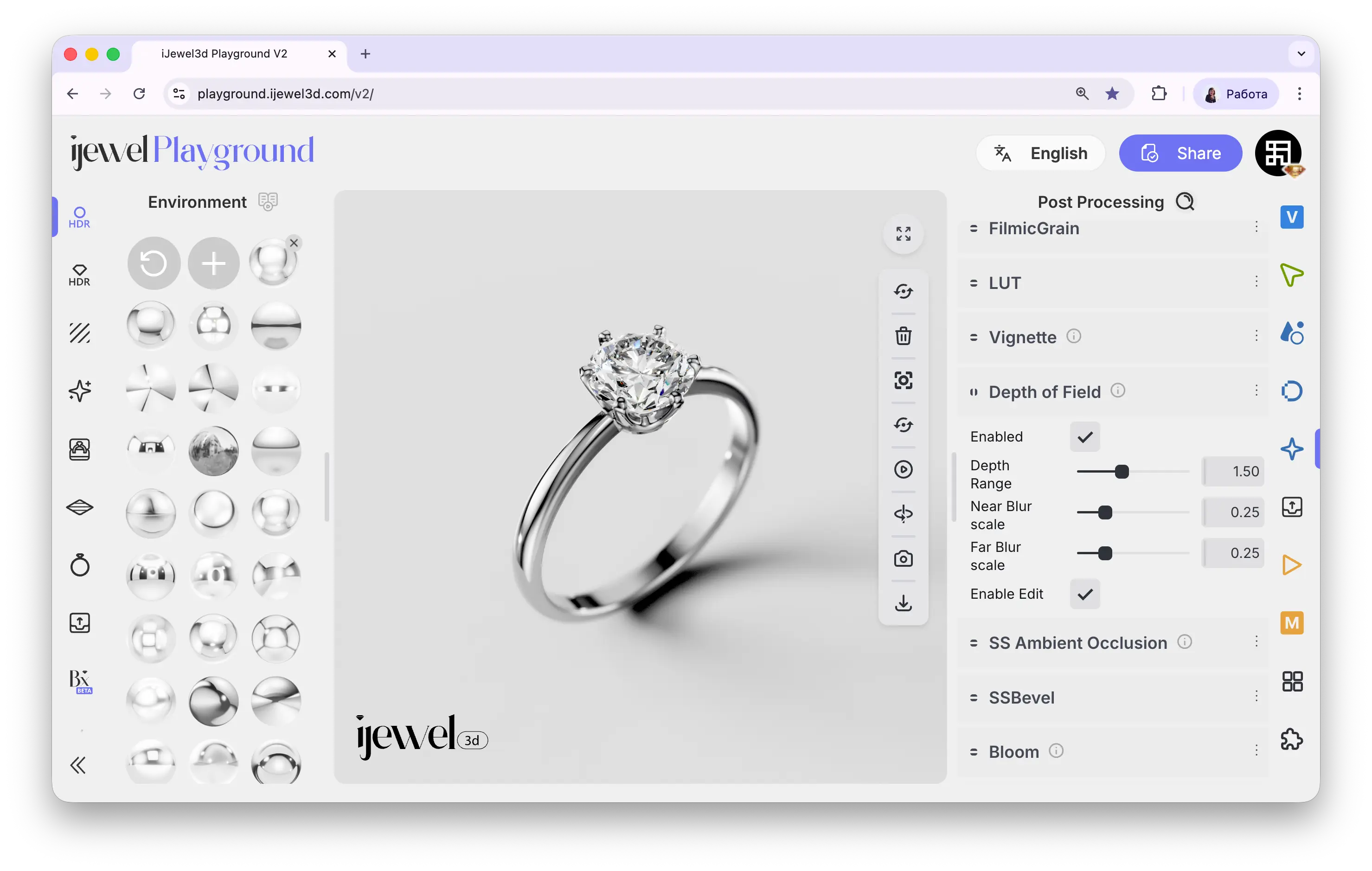
How to Set the Focus Point
- Enable Enable Edit checkbox in the Depth of Field section
- Click directly on the object in the canvas where you want the focus to be — the focal point is set automatically
- Once the focus is set, disable Enable Edit to return to normal object selection on the canvas
Settings
Enable
Checkbox — toggles the depth of field effect on or off
Depth Range
Slider — controls the range of the in-focus zone. A smaller range means a narrower area stays sharp
Near Blur Scale
Slider — controls how strong the blur is for objects closer to the camera than the focal point
Far Blur Scale
Slider — controls how strong the blur is for objects further from the camera than the focal point
Enable Edit
Checkbox — when enabled, click on the canvas to set the focal point. Disable after setting focus to resume normal object selection
Related Pages
- Screen Space Reflections (SSR) — Real-time reflections
- Tonemapping — Exposure and color grading
- Bloom — Glow effect around bright areas