
Screen Space Contact Shadows
Screen Space Contact Shadows add fine shadows where surfaces meet or nearly touch — prongs on a stone, a ring band on a surface, chain links against each other. These micro-shadows make jewelry look grounded and physically present.
Where to Find It
This section is located on the right panel, inside the  Post Processing tab, in the Screen Space Contact Shadows section.
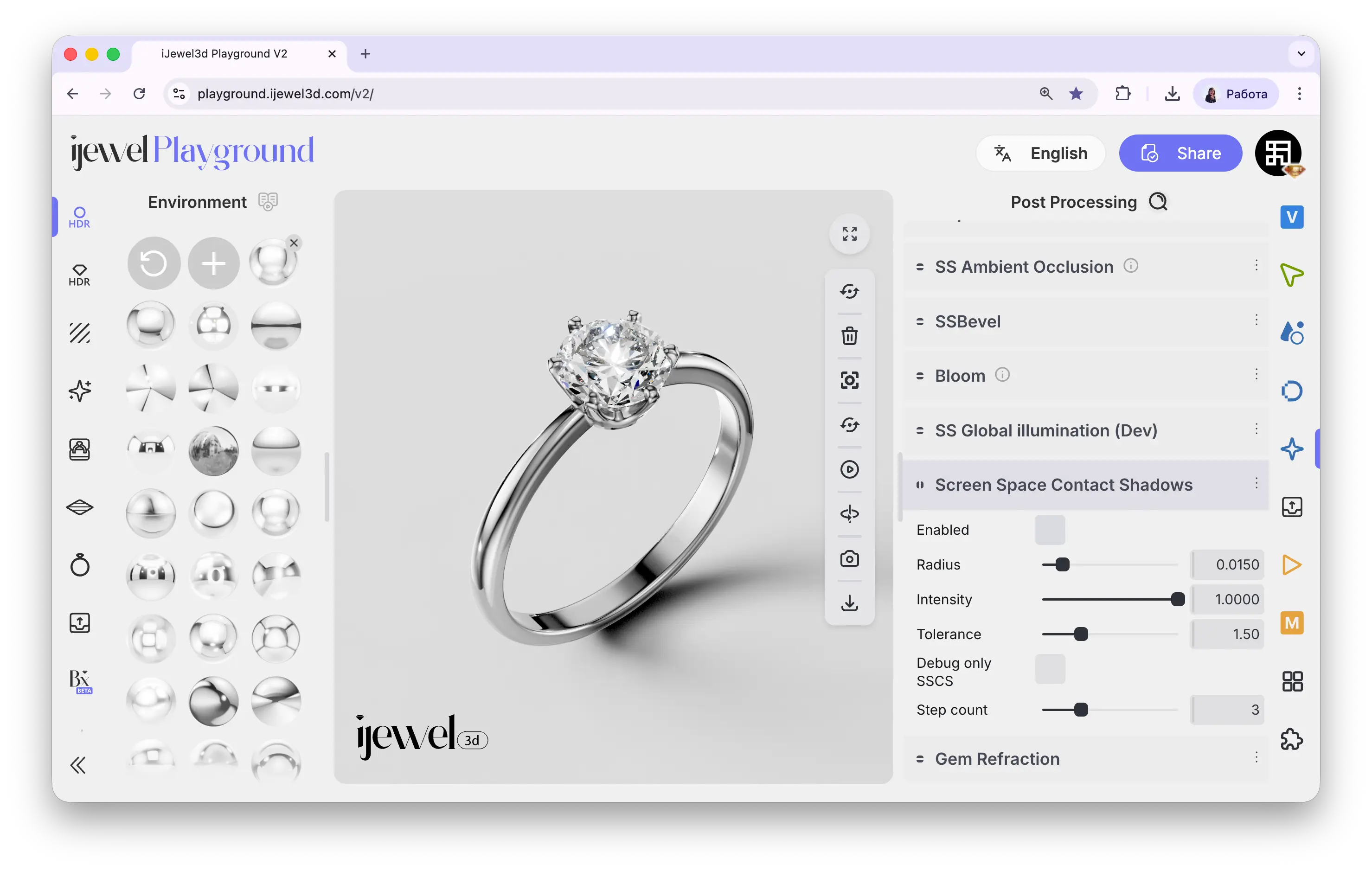
Settings
Enable
checkbox
Toggles Screen Space Contact Shadows on or off
Radius
slider
Max distance for contact shadows — keep small for realistic results
Intensity
slider
How dark the contact shadows are
Tolerance
slider
Depth comparison tolerance — reduces false shadows on flat surfaces
Debug Only SSCS
checkbox
Shows only contact shadows — use to fine-tune, then disable
Step Count
slider
Ray marching steps — more steps = more precise but slower
Using Debug Mode
Enable Debug Only SSCS to isolate and visualize just the contact shadows. This makes it easy to see where shadows are appearing and adjust Radius, Intensity, and Step Count before disabling debug to see the full render.
Related Pages
- Screen Space Ambient Occlusion (SSAO) — Ambient occlusion in crevices
- Screen Space Global Illumination (SSGI) — Indirect light bouncing between surfaces
- Screen Space Reflections (SSR) — Real-time reflections