
Export Images
iJewel Playground makes it easy to save high-resolution images of your jewelry renders in multiple formats. There are two ways to export images — a quick method and an advanced method.
Quick Export (Camera Icon)
The fastest way to capture an image is using the camera icon in the floating Quick Actions panel on the canvas.
- Click the camera icon to instantly save a PNG snapshot of your current view.
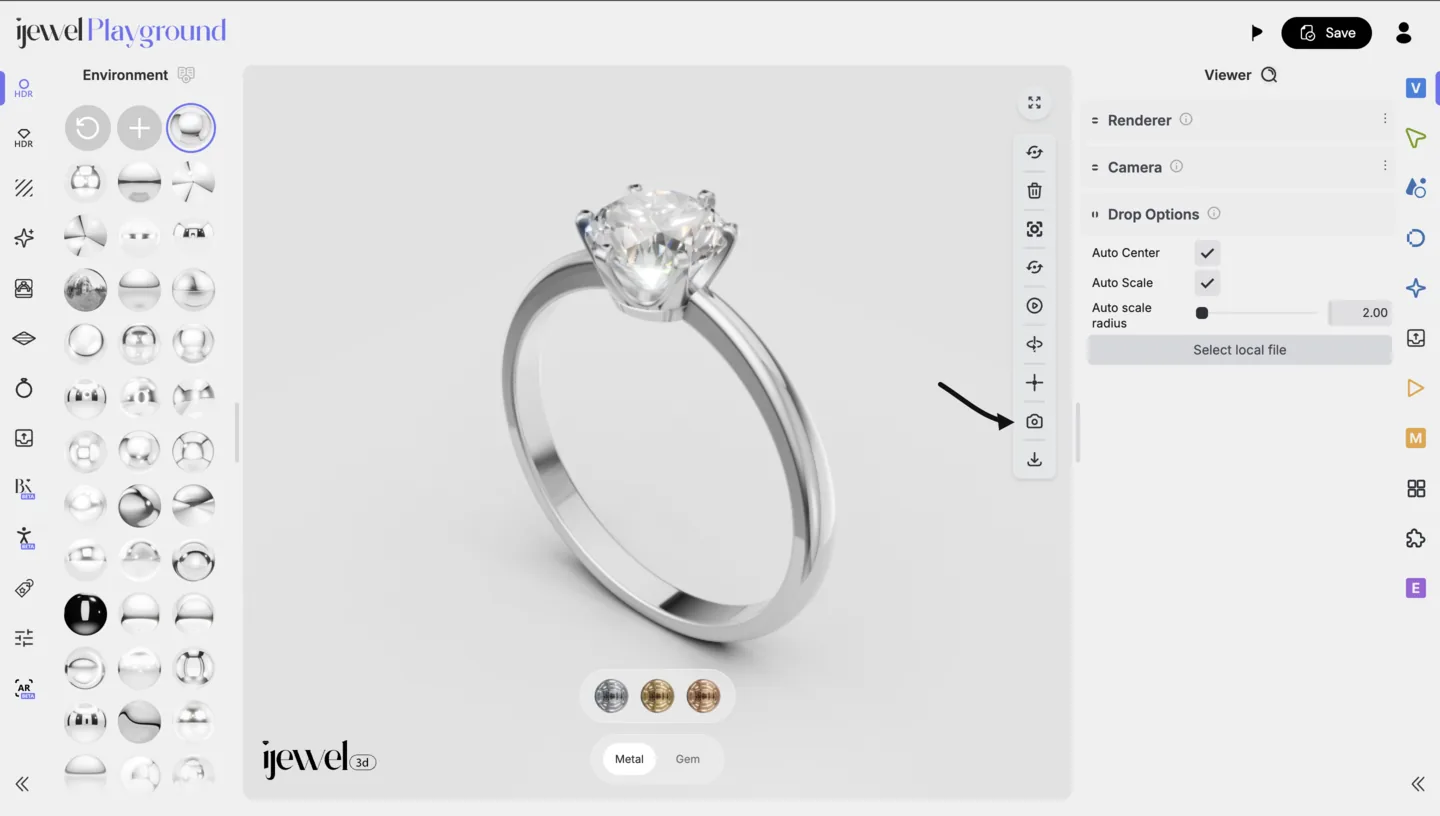
TIP
This is perfect for quick captures during your design process. The image is saved at the current canvas resolution — make sure to adjust your Renderer Settings first if you need higher quality.
Advanced Export (Export Tab)
For more control over format, resolution, and file naming, use the Export Tab in the Editor UI Panel.
Steps
- Open the Export tab in the right-side Editor UI Panel.
- Choose your desired format:
- PNG — Lossless quality, supports transparency. Best for product images.
- JPEG — Smaller file size, no transparency. Good for web and social media.
- WEBP — Modern format with excellent compression. Ideal for websites and e-commerce.
- Enter a file name for your export.
- Click Download.
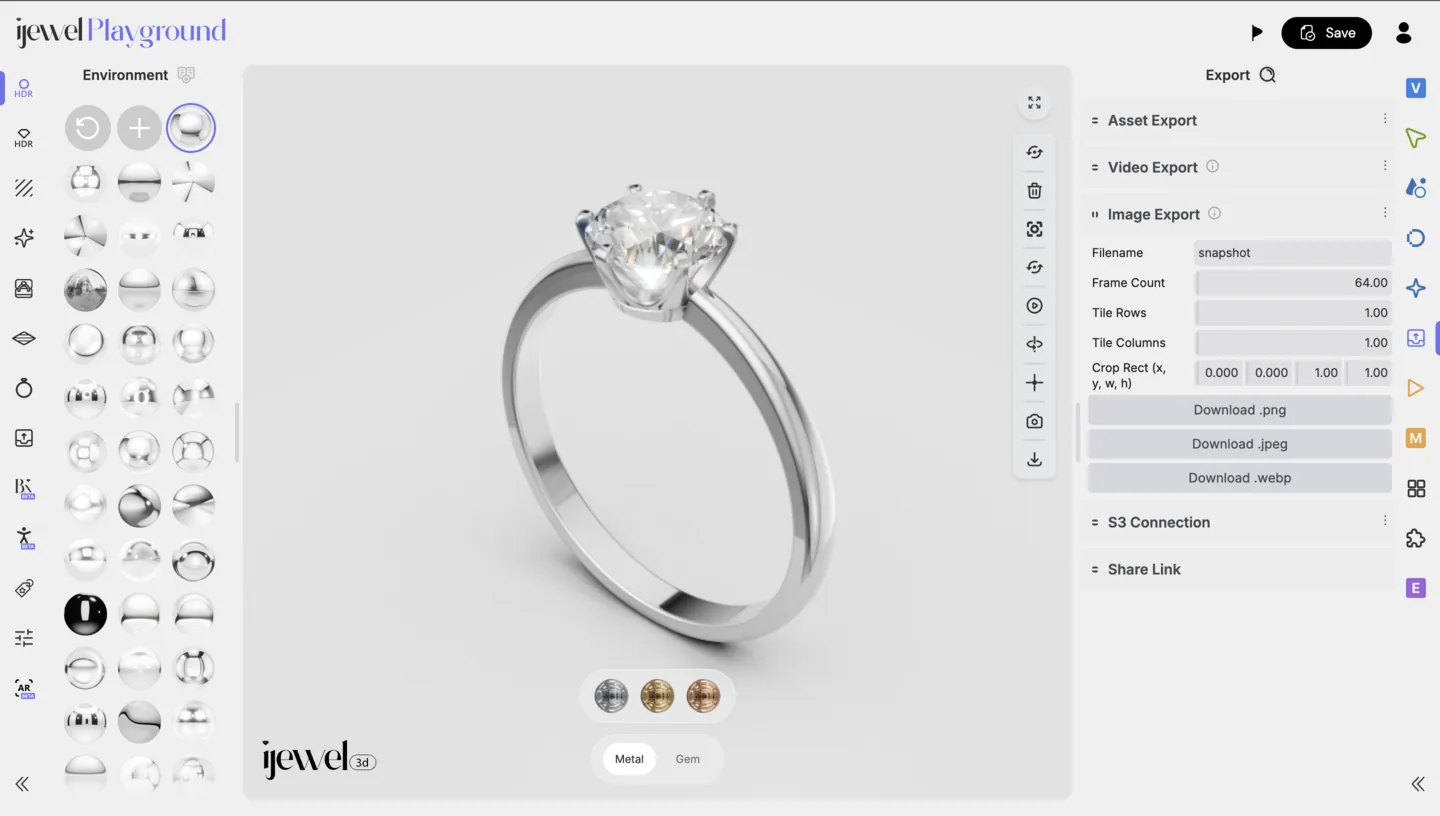
Export from the Left Menu
You can also export images from the left-side Presets Panel:
- Set the desired width and height for your output resolution.
- Select the output format (PNG, JPEG, or WEBP).
- Click Download.
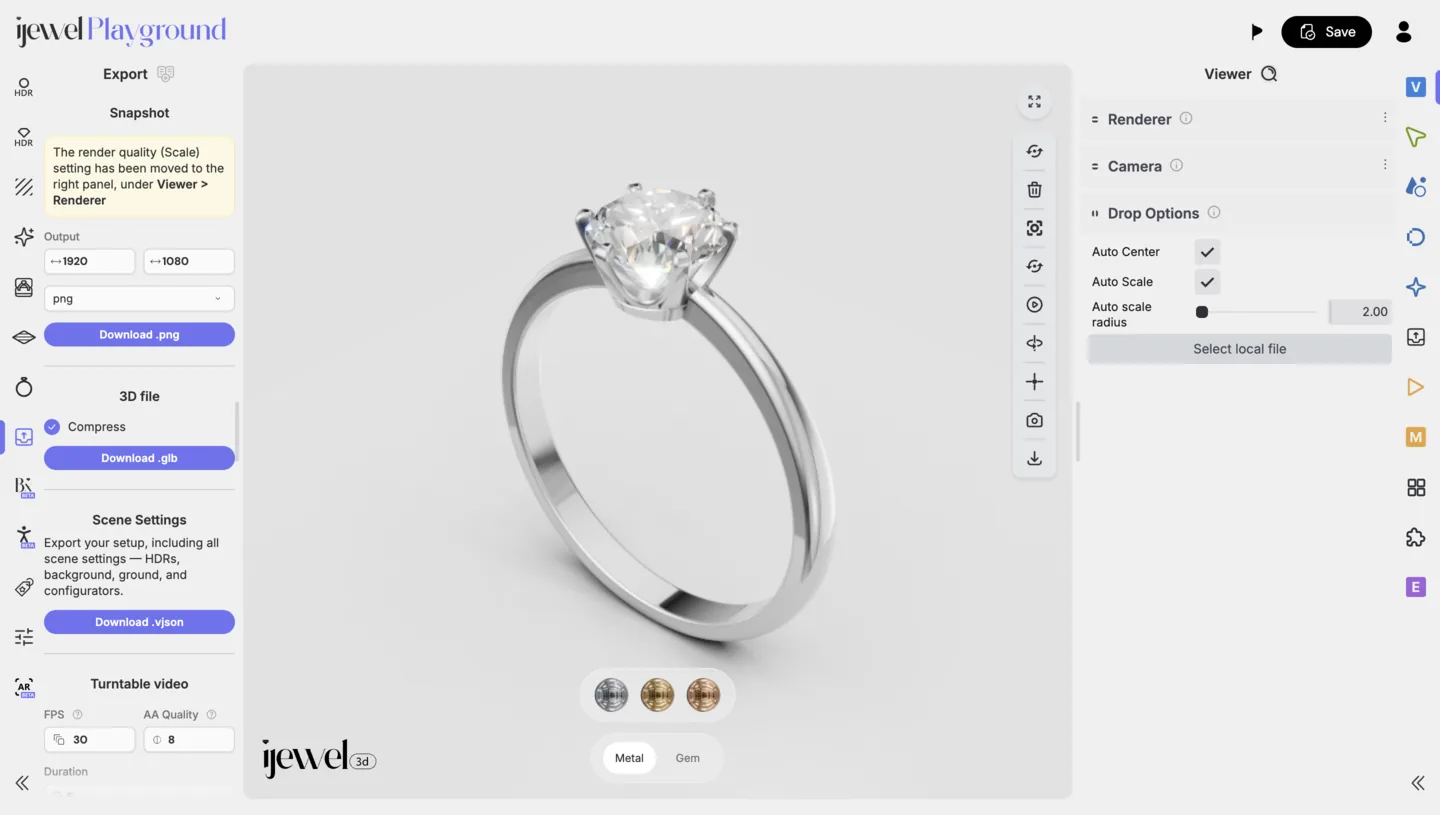
Higher Quality Exports
For the best quality exports, increase the width and height values before downloading. This produces sharper images suitable for print, catalogs, or high-DPI displays.
Transparent Background
To export an image with a transparent background (PNG format only), you need to configure several settings before exporting:
- Go to Background / Environment and set the Background Color alpha channel to
0(fully transparent) - Go to Ground and uncheck Visible to hide the ground plane
- Disable Progressive Shadow if it is enabled
- Choose PNG as the export format (JPEG and WEBP do not support transparency)
- Export the image
TIP
This is especially useful for e-commerce product listings and marketing materials where you need the jewelry on a clean, transparent background that can be composited onto any backdrop.
Recommended Settings by Use Case
| Use Case | Format | Suggested Resolution |
|---|---|---|
| E-commerce product listing | PNG or WEBP | 1000×1000 px or higher |
| Social media | JPEG or WEBP | 1080×1080 px |
| Print catalog | PNG | 2000×2000 px or higher |
| Website banner | WEBP | 1920×600 px |